- -
21
TV Function
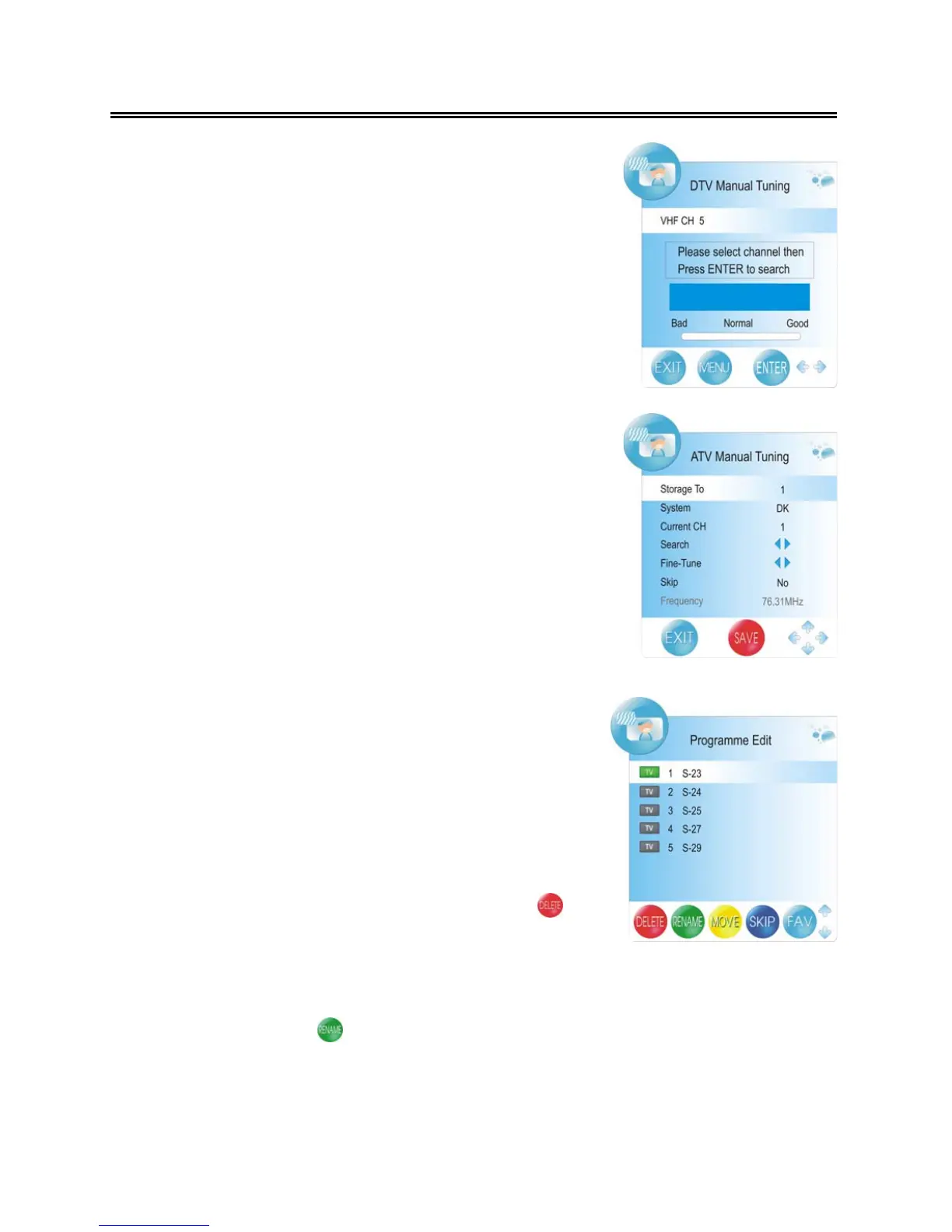
DTV Manual Tuning
Press the ▲▼ button to select DTV Manual Tuning and press
the ENTER button, the screen will display as shown on the right:
Press the ◄► button to select desired channel number and
press the ENTER button to start tuning.
ATV Manual Tuning
Press the ▲▼ button to select ATV Manual Tuning and press
the ENTER button, the screen will display as shown on the right:
Within this menu, press the ▲▼ button to select desired item
and press the ◄► button to set or activate. Press the red button
to save the settings.
Programme Edit
Press the ▲▼ button to select Programme Edit and press the
ENTER button, the screen will display as shown on the right:
Within the menu, press the ▲▼ button to select a channel and
press the FAV.LIST button to set it as your favorite channel,
press the FAV.LIST button again to cancel.
Delete: Press the ▲▼ button to select a channel you want to
delete and press the red button to set a symbol “ ”
on the channel. Press the red button again to delete
the selected channel, press the MENU button to return.
Rename: Press the ▲▼ button to select a channel you want to rename and press the green button
to set a symbol “ ” on the channel. Press the ◄► button to highlight the character
position of channel name and press the ▲▼ button to select desired character, press
the MENU button to confirm and return.



 To Next Page