- -
25
TV Function
Sound Setting
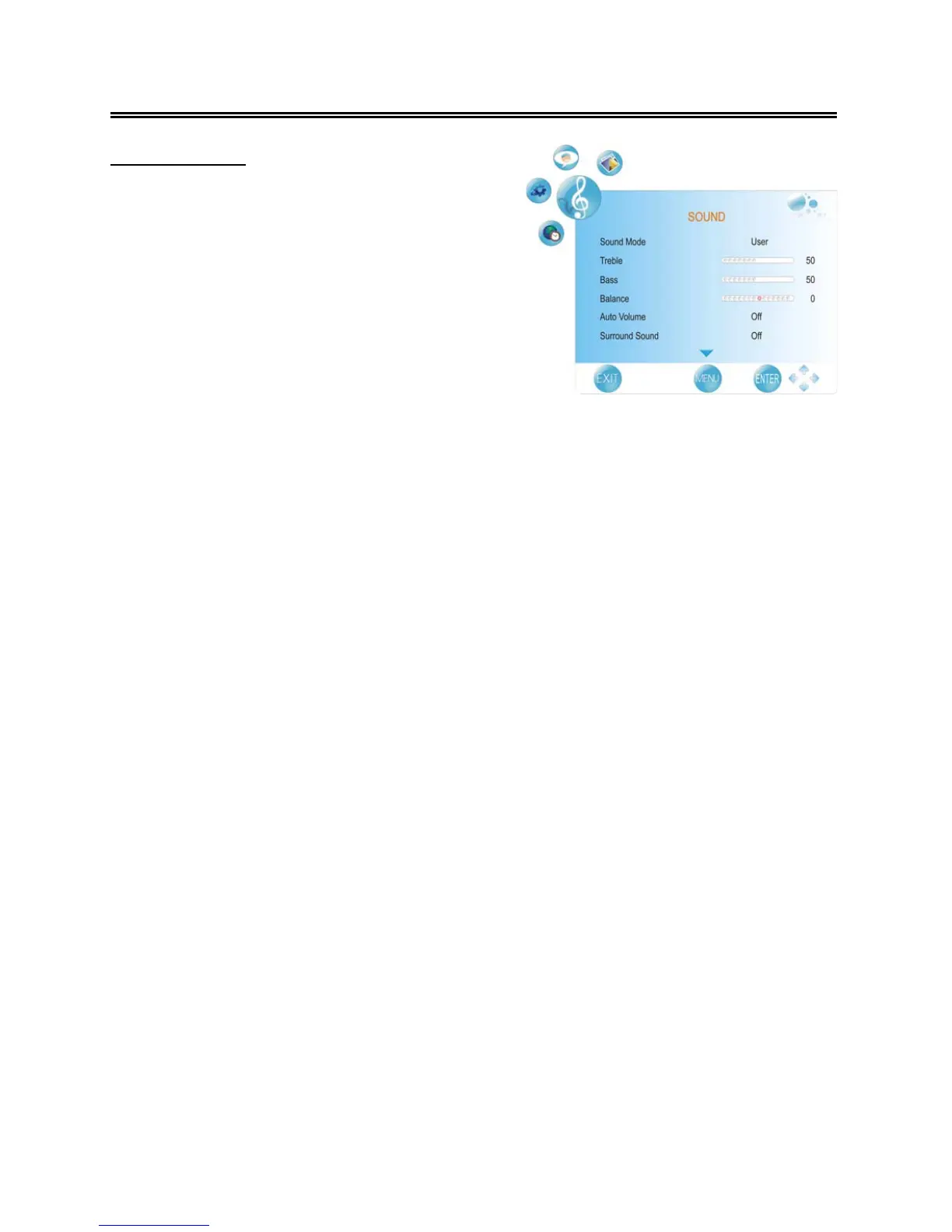
Press the MENU button once to enter CHANNEL
setup menu and press the ◄► button to select
SOUND, the screen will display as shown.
Press the ENTER button or ▼ button to enter the
menu.
In the SOUND setup menu, press the ▲▼ button
to select the desired item. Press the MENU button
to return to the previous menu.
Sound Mode
Press the ▲▼ button to select Picture Mode and press the ◄► button to select Standard, Music,
Movie, Sports or User.
Note:
The items Treble and Bass are only available when Sound Mode is set to User.
Treble
Press the ▲▼ button to select Treble and press the ◄► button to adjust the level.
Bass
Press the ▲▼ button to select Bass and press the ◄► button to adjust the level.
Balance
Press the ▲▼ button to select Balance and press the ◄► button to adjust the level.
Auto Volume
Press the ▲▼ button to select Auto Volume and press the ◄► button to select On or Off.
Surround Sound
Press the ▲▼ button to select Surround Sound and press the ◄► button to select Surround or
Off.
Spdif
Press the ▲▼ button to select Spdif and press the ◄► button to select Off, RAW or PCM.



 To Next Page