- -
24
TV Function
Aspect Ratio
Press the ▲▼ button to select Aspect Ratio and press the ◄► button to select Auto, 4:3, 16:9,
Zoom1 or Zoom2.
Noise Reduction
Press the ▲▼ button to select Noise Reduction and press the ◄► button to select Auto, High,
Standard or Off.
Screen
This item is only available in VGA mode.
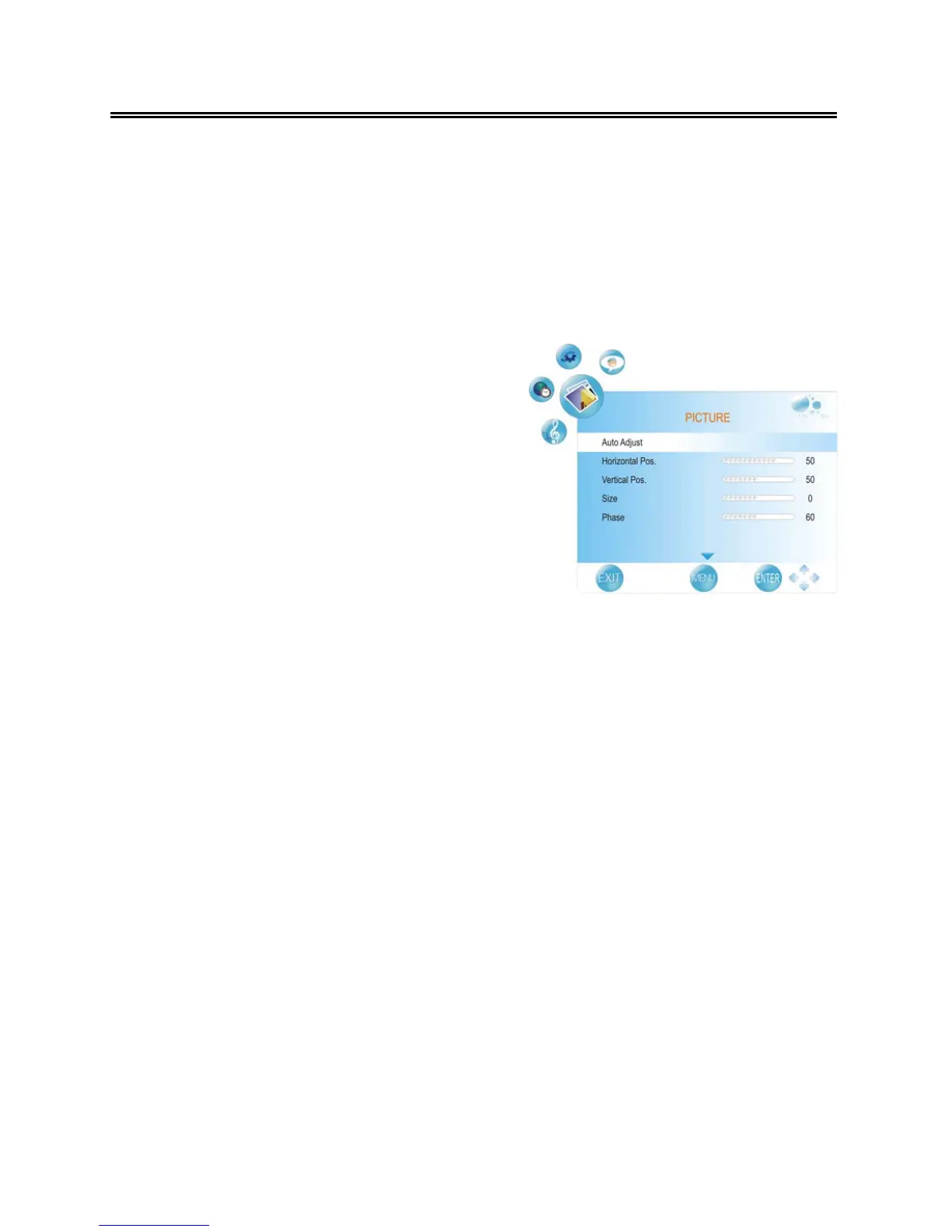
Press the ▲▼ button to select Screen and press
the ► or ENTER button to enter its sub menu, as
shown on the right:
Within this sub menu, press the ▲▼ button to
select desired item and press the MENU button to
return.
Auto Adjust
Press the ▲▼ button to select Auto Adjust and press the ► or ENTER button to start auto
adjusting the screen.
Horizontal Pos.
Press the ▲▼ button to select Horizontal Pos. and press the ◄► button to adjust the level.
Vertical Pos.
Press the ▲▼ button to select Vertical Pos. and press the ◄► button to adjust the level.
Size
Press the ▲▼ button to select Size and press the ◄► button to adjust the level.
Phase
Press the ▲▼ button to select Phase and press the ◄► button to adjust the level.



 To Next Page