- -
- 3 -
View of Unit
Front and Left Side Panel
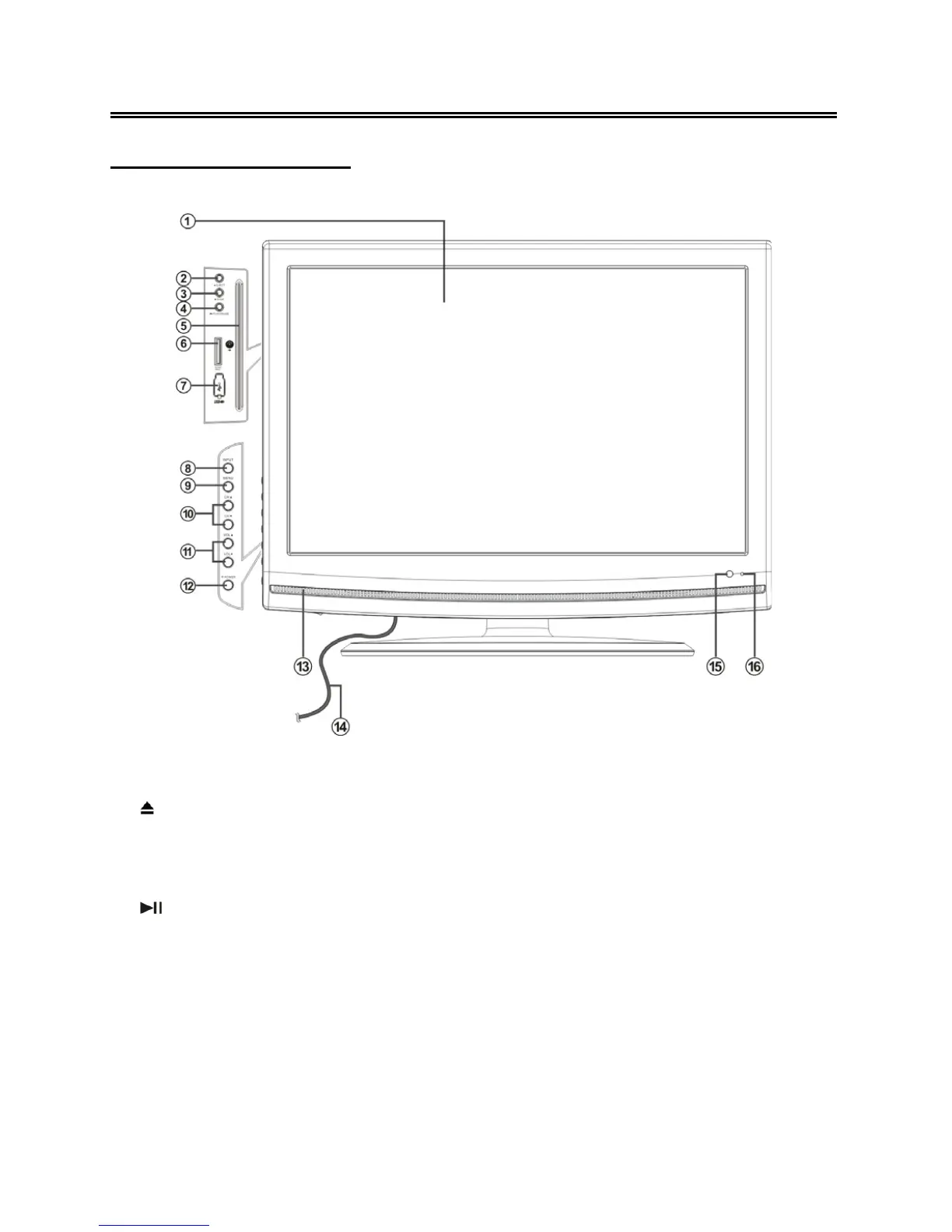
1. Color TFT screen
2.
EJECT button
Press to eject the disc from the unit.
3. ■ STOP button
Press to stop disc playback in DVD mode.
4.
PLAY/PAUSE button
Press to start disc playback and press it
again to pause playback in DVD mode .
5. Disc Tray Slot
Insert disc into this slot.
6. SD/MS/MMC Card Port
Insert SD/MS/MMC card into this slot.
7. USB Port
Connect the USB device.
8. INPUT button
Press to select enter the source selecting
menu, press the ▲▼ direction buttons to
select desired mode and press the ENTER
button to enter the selected mode.
In setup menu, use the ENTER button for
the same function.
9. MENU button
Press to enter the system setup menu.



 To Next Page