- -
38
DVD System Setup
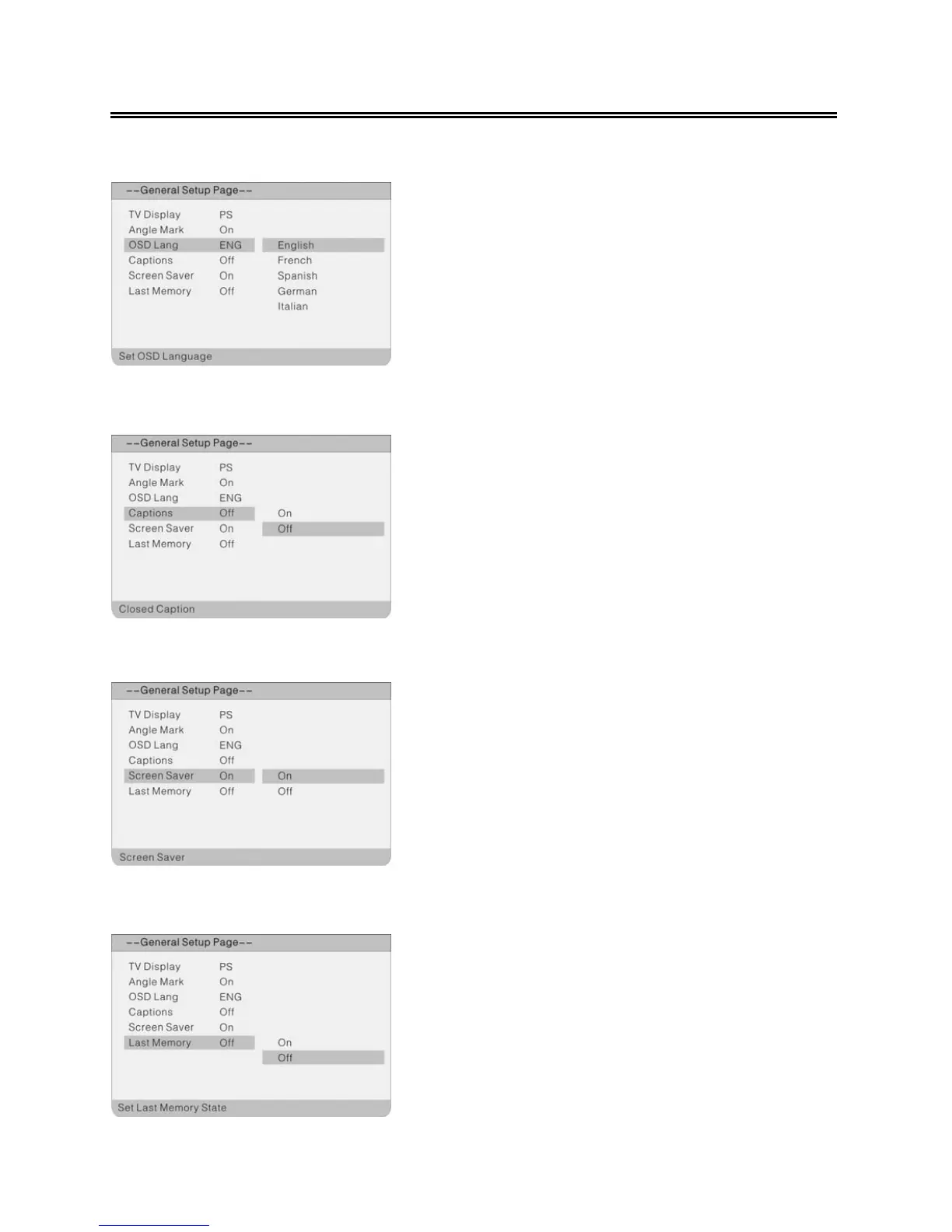
OSD Lang
Captions
Screen Saver
Last Memory
1. Press the ▲▼ direction buttons to select OSD
Lang.
2. Press the ENTER button to enter the setup.
3.
Use the ▲▼ direction buttons to select desired
OSD language.
4.
Press the ENTER button again to confirm
selection and return.
1. Press the ▲▼ direction buttons to select
Screen Saver.
2. Press the ENTER button to enter the setup.
3.
Use the ▲▼ direction buttons to select On or
Off.
4.
Press the ENTER button again to confirm
selection and to return.
1. Press the ▲▼ direction buttons to select Last
Memory.
2. Press the ENTER button to enter the setup.
3. Use the ▲▼ direction buttons to select On or
Off.
4. Press the ENTER button again to confirm
selection and return.
1. Press the ▲▼ direction buttons to select
Captions.
2. Press the ENTER button to enter the setup.
3.
Use the ▲▼ direction buttons to select On or
Off.
4.
Press the ENTER button again to confirm
selection and return.



 To Next Page