ENGLISH FRANÇAIS
Repeat Playback 1
26
Repeat one track
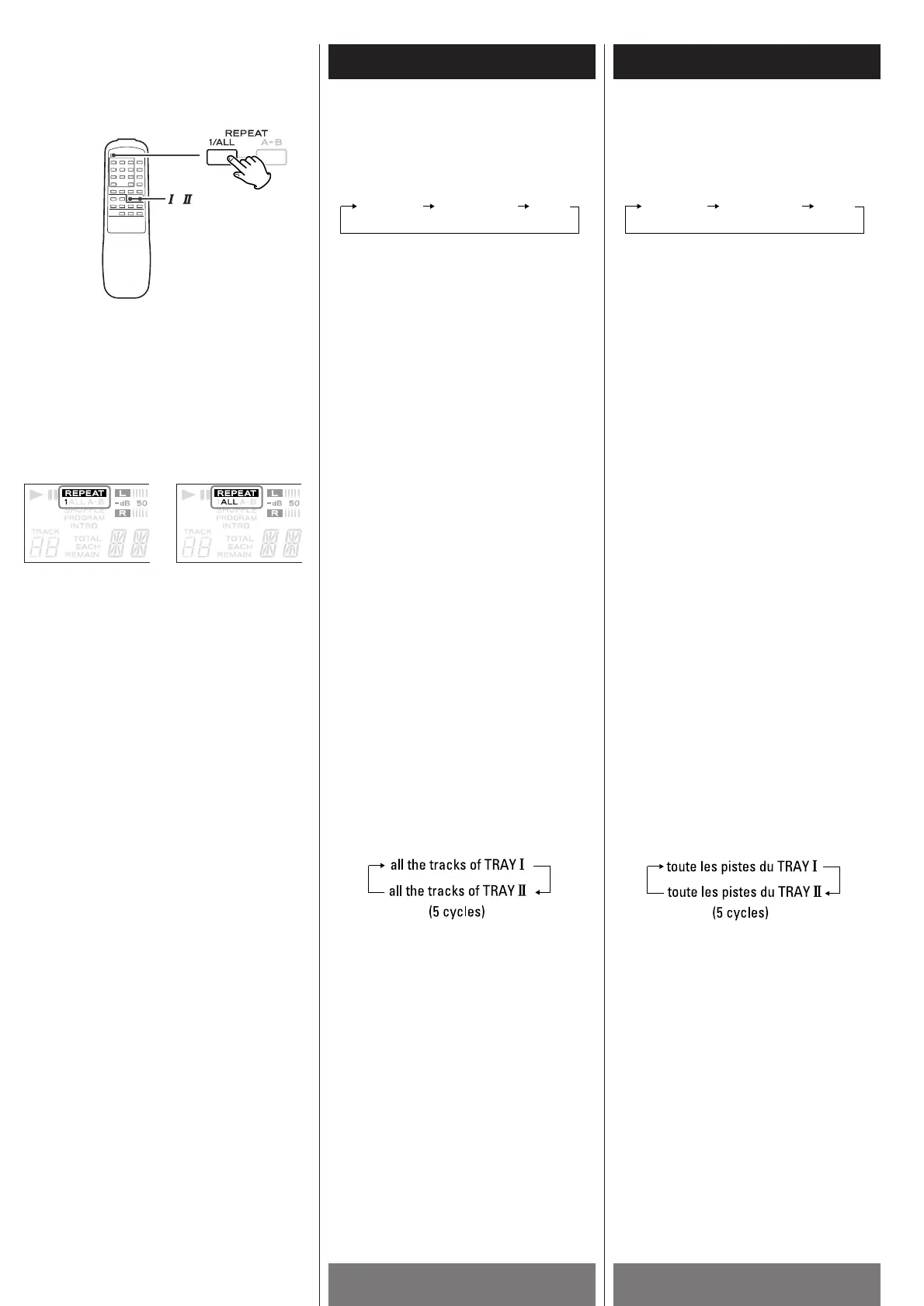
Press the REPEAT 1/ALL button and
select "REPEAT 1" during playback. The
track being played will be played
repeatedly. If you select another track in
REPEAT 1 mode, the track you selected
will be played repeatedly.
It is also possible to select a track in the
stop mode. Press the REPEAT 1/ALL
button and then select the track number
by the numeric buttons.
Repeat All the Tracks
All the tracks of the disc will be played
repeatedly.
Press the REPEAT 1/ALL button and
select "REPEAT ALL".
During program playback, programmed
tracks will be played repeatedly.
When discs are set in both TRAY
! and @,
the unit will repeat all the tracks of each
disc alternately for five cycles and then
stop.
REPEAT 1 REPEAT ALL (OFF)
Lecture répétée 1
Chaque fois que la touche REPEAT 1/ALL de
la télécommande est appuyée, le mode
change tel qu’il suit:
REPEAT 1 REPEAT ALL (OFF)
Répétition d’une piste
Appuyer la touche REPEAT 1/ALL et
choisir “REPEAT 1” durant la lecture. La
piste qui joue sera jouer répététivement.
Si vous sélectionnés une autre piste en
mode REPEAT 1, cette piste sera jouée
répététivement.
Il est possible de sélectionner une piste
en mode arrêt. Appuyer sur la touche
REPEAT 1/ALL et ensuite choisir le
numéro de piste utilisant les touches
numériques.
Répétition de toute les pistes
Toute les pistes du disque vont jouées
répététivement.
Appuyer la touche REPEAT 1/ALL et
chosir “REPEAT ALL”.
Durant la lecture programmée, les pistes
programmées vont jouées
répététivement.
Si les TRAY
! et @ sont chargés, l’appareil
va répété toute les pistes de chaque
disque alternativement pour cinq cycles
et ensuite s’arrêter.
Every time the REPEAT 1/ALL button of the
remote control unit is pressed, the mode is
changed as follows:



 To Next Page