ENGLISH FRANÇAIS
Time Display
A
Affichage du temps
56
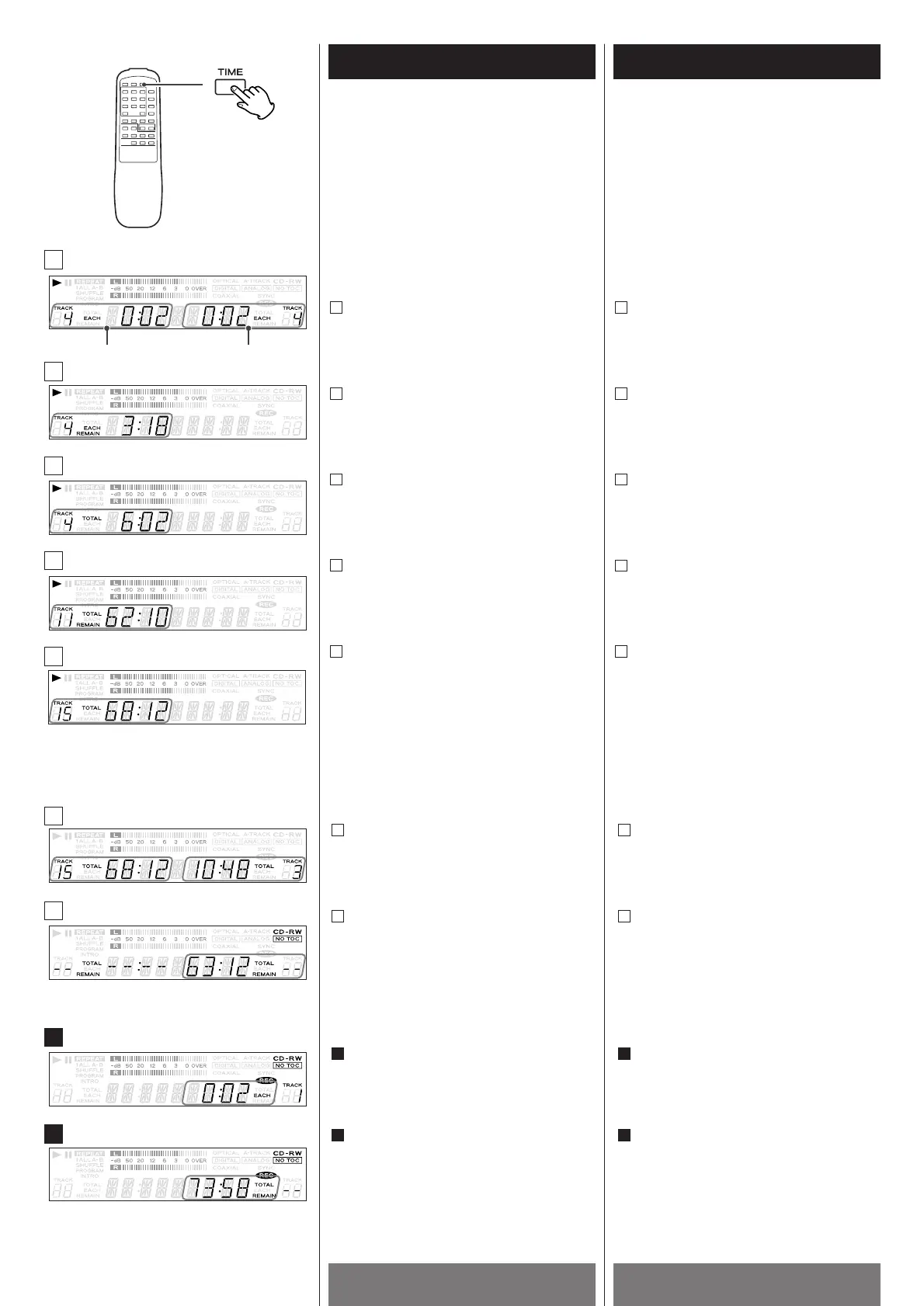
Press the TIME button to switch the mode of
time display.
Each time the TIME button is pressed, the
mode is changed as follows:
In the play/pause mode
Elapsed time of the track being played
Remaining time of the track being played
Total elapsed play time of tracks
Total remaining play time of tracks
The total play time and the number of
tracks
E
D
C
B
A
Le bouton TIME permet de passer au mode
Affichage du temps.
À chaque pression sur bouton TIME, le mode
change selon la séquence suivante :
En mode Lecture/Pause
Temps écoulé sur la piste courante.
Temps restant sur la piste courante.
Temps total écoulé sur toutes les pistes
lues.
Temps total restant
Temps total et le nombre total de pistes
E
D
C
B
A
In the stop mode
The total play time and the number of
tracks
Remaining recording time of disc
In recording mode
Elapsed recording time of the track
being played
Remaining recording time of disc
B
A
b
a
En mode Arrêt
Temps total et le nombre total de pistes
Temps d’enregistrement restant sur le
disque.
En mode Enregistrement :
Temps d’enregistrement écoulé sur la
piste courante.
Temps d’enregistrement restant sur le
disque.
B
A
b
a
TRAY !
B
C
D
E
a
b
A
B
TRAY @



 To Next Page