17
ENGLISH
3
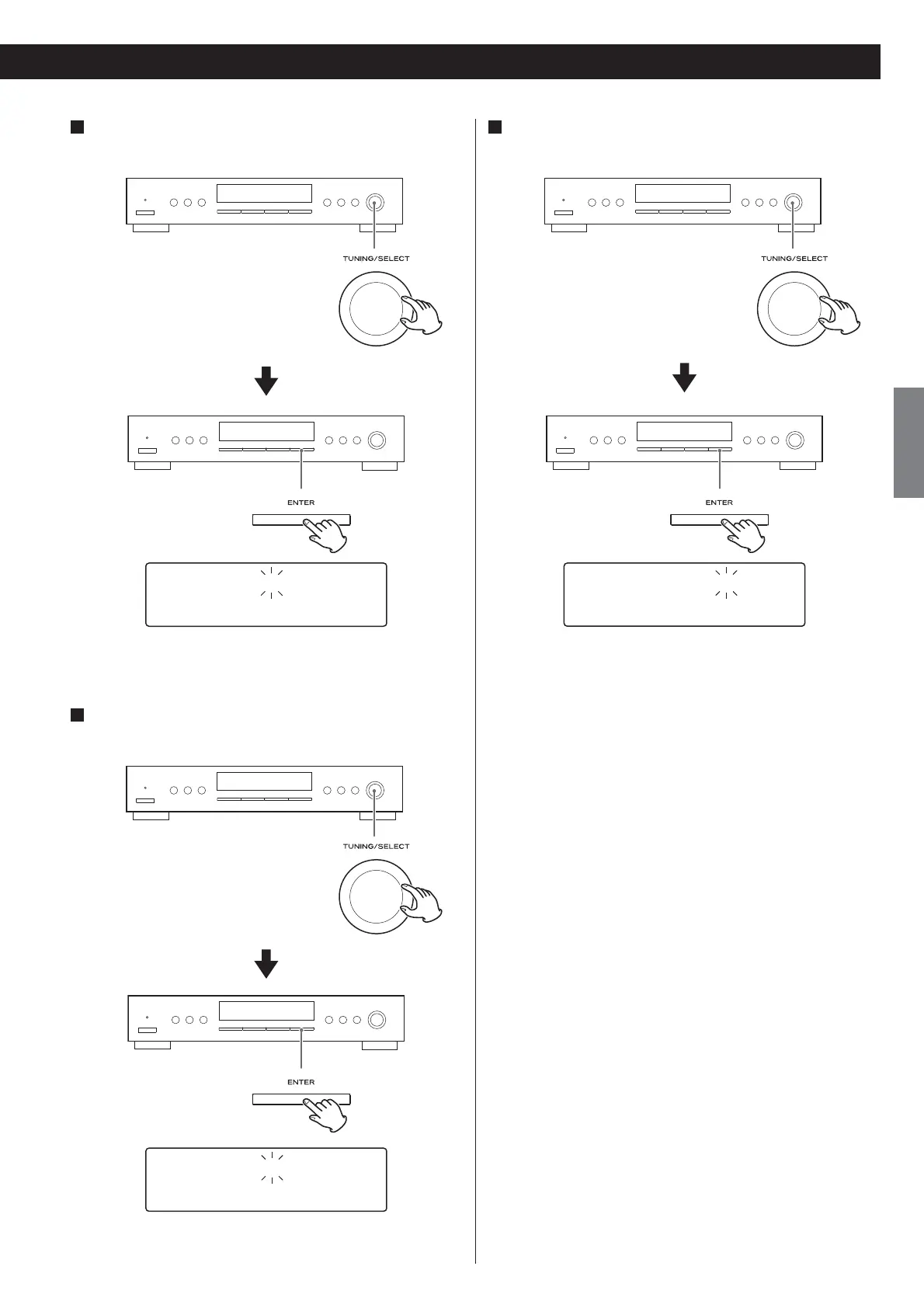
Turn the TUNING/SELECT knob to set the start time
(minutes), and press the ENTER button.
Off time00:00:00
CH12 108.00MHz
The on-time is set. “Off time” appears on the display, and the hour
value flashes.
4
Turn the TUNING/SELECT knob to set the stop time (hour),
and press the ENTER button.
Off time09:15:00
CH12 108.00MHz
The hour is set, and the minute value flashes.
5
Turn the TUNING/SELECT knob to set the stop time
(minutes), and press the ENTER button.
Off time09:15:00
CH12 108.00MHz
Now the timer setting is stored in memory.


 To Next Page