Appendix A Quick Guides for Using the DG-700 with Energy Conservatory Test Devices
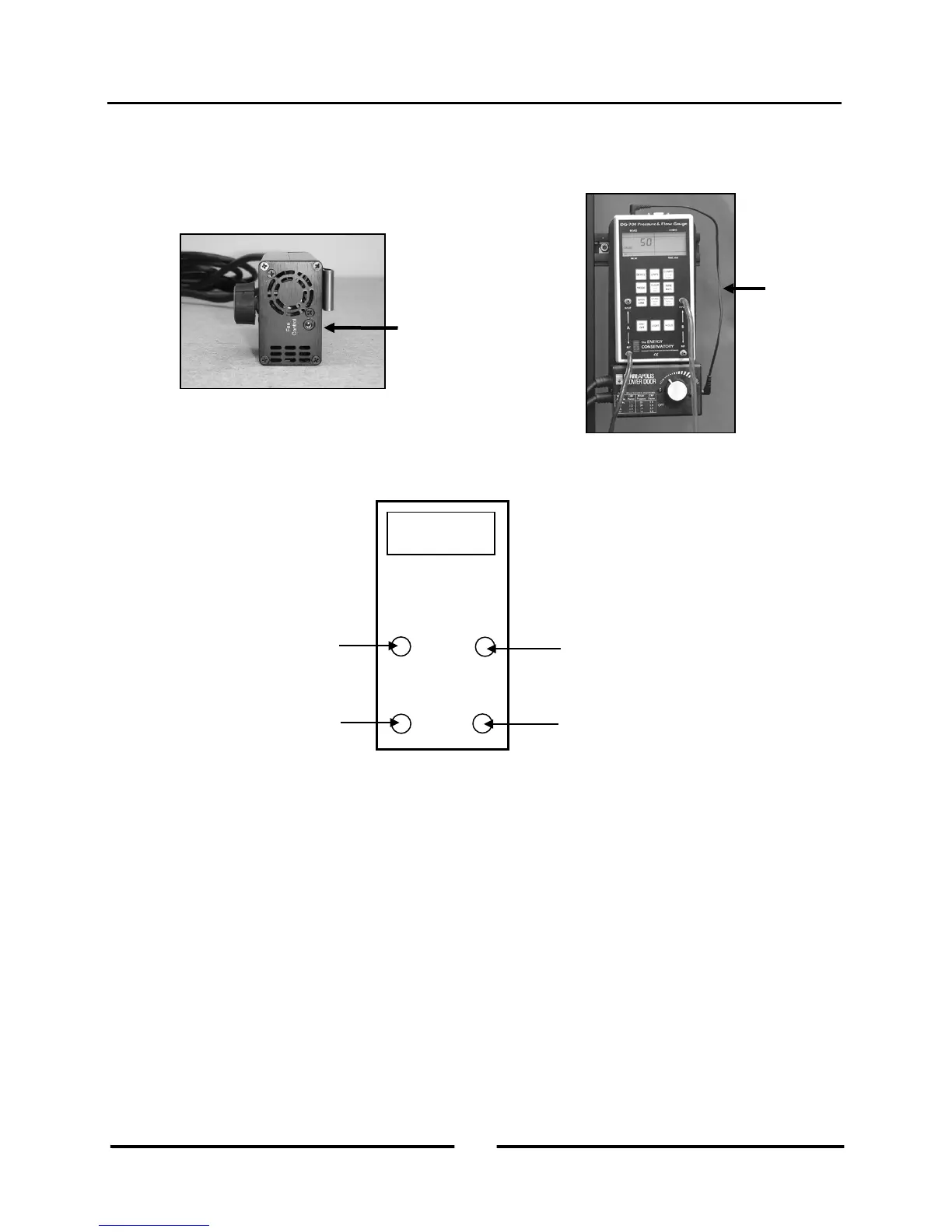
4. Connect the DG-700 to the Blower Door fan speed controller using the fan control cable. Plug one end of the cable
into the 3.5 mm fan control output jack on the top of the DG-700, and plug the other end of the cable into the
communication jack on the side of the fan speed controller box.
5. Connect tubing between the DG-700 and the Blower Door system (tubing connections are detailed in the Blower
Door operation manual).
6. Now turn on the Blower Door fan speed controller to the “just on” position (the fan should not be turning in this
position). The speed control knob should be turned all the way down, without being clicked into the “off” position.
7. Turn on the DG-700 gauge.
8. Refer to the TECTITE and Blower Door manuals for instructions on how to conduct the Blower Door test.
To inside of building
(leave open if gauge is
in the building)
To outside (green
tubing)
To space upstream of fan inlet.
(If fan inlet and gauge are in the
same space, leave open)
(Blower Door Speed
Controller)
Control
Cable
34
Operating Instructions
for the DG700



 To Next Page