- 11 -
EO1-11099
8
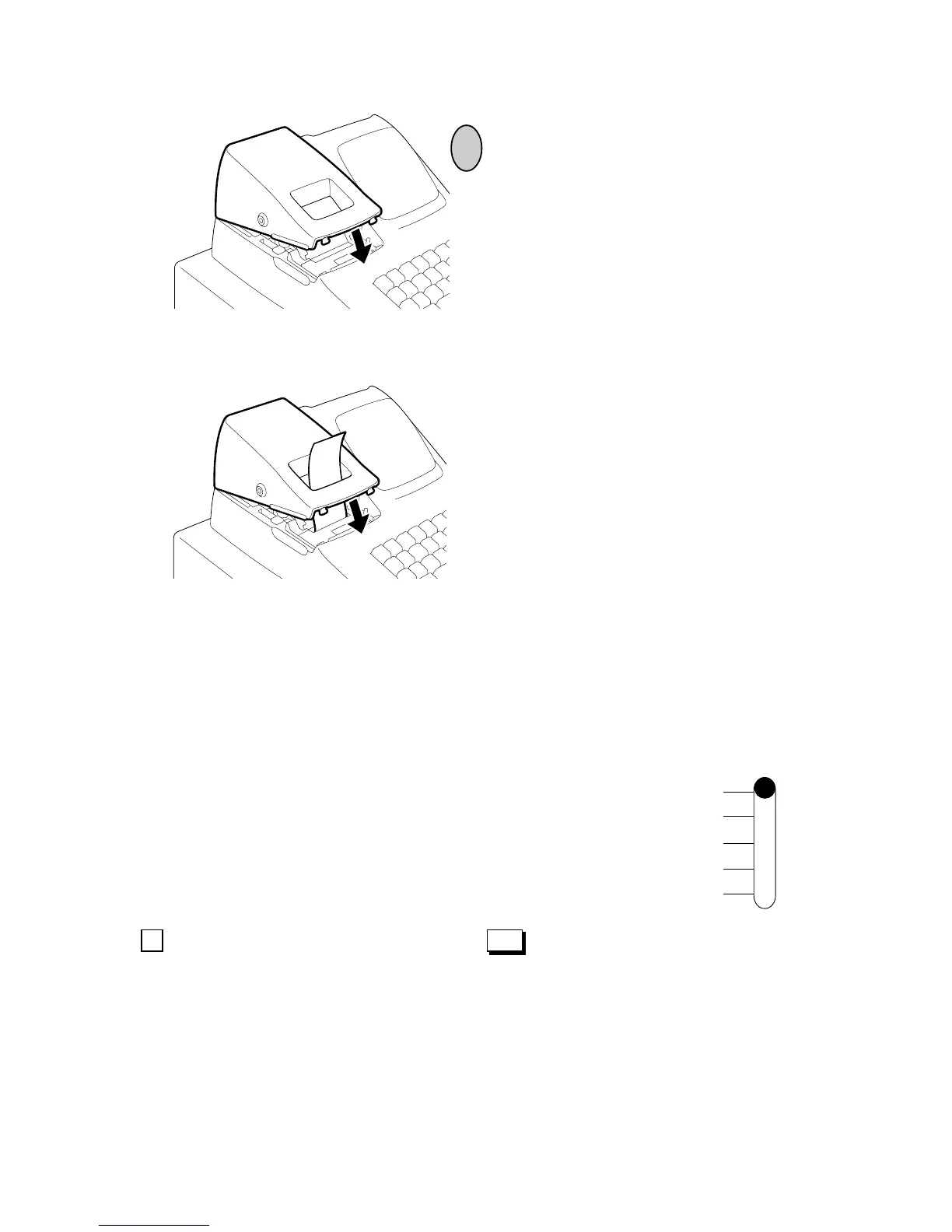
If the printer is used for journal, simply
attach the Printer Cover. The Receipt
Outlet is used as Journal Window.
If the printer is used for receipts, attach the
Printer Cover with the paper end coming
out of the Receipt Outlet located on the
Printer Cover.
9. Programming
The time and date should be adjusted and such data as status of each department, percent
rate, etc. should be programmed before starting sale entries. Printing occurs as programming
is proceeded.
• The programmed data will be retained by dry batteries even if the power
of the machine is turned OFF or a power failure occurs.
• Set the Mode Select Switch to the SET position before starting any
programming operation.
• Key indications in the operation patterns in this manual:
REG
OFF
SET
X
Z
...................Entry through a Numeric Key ............................. Function Key depression


 To Next Page
 Loading...





