Notice: If you would like to set the recording mode to "Alarm", please make sure that
you have enabled the alarm function of the corresponding channel.
2.5 Video Playback
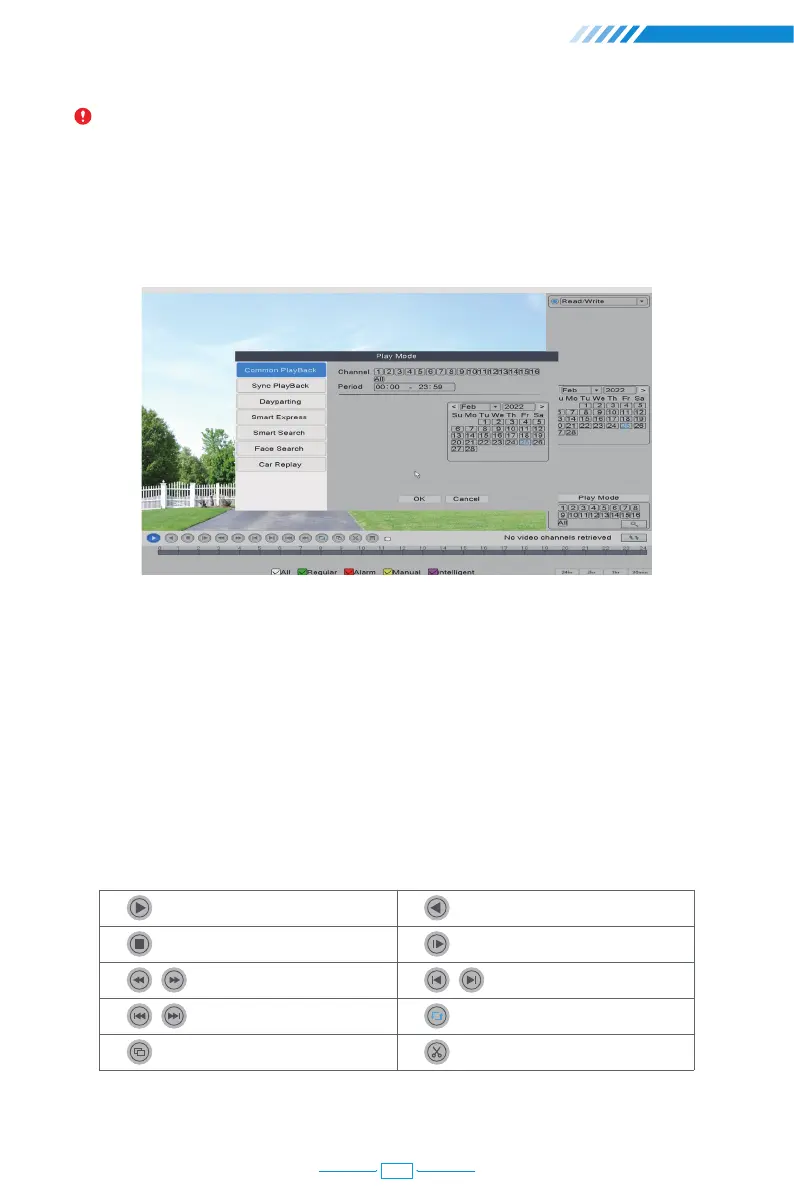
Right click the mouse→【Main Menu】→【PlayBack】
In the "Common Playback", you can playback recorded video according to date, time,
channel and mode.
① Choose Play Mode
② Choose Video Date
③ Playback Channel Option
④ Video Playback Time
⑤ Playback Control Key
Start Playback
Stop Playing
Rewind/Fast-forward
Prev/ Next File
Full Screen
Play Backward
Slow Playback
Prev/Next Frame
Repeat Playback
Start Editing
08



 To Next Page