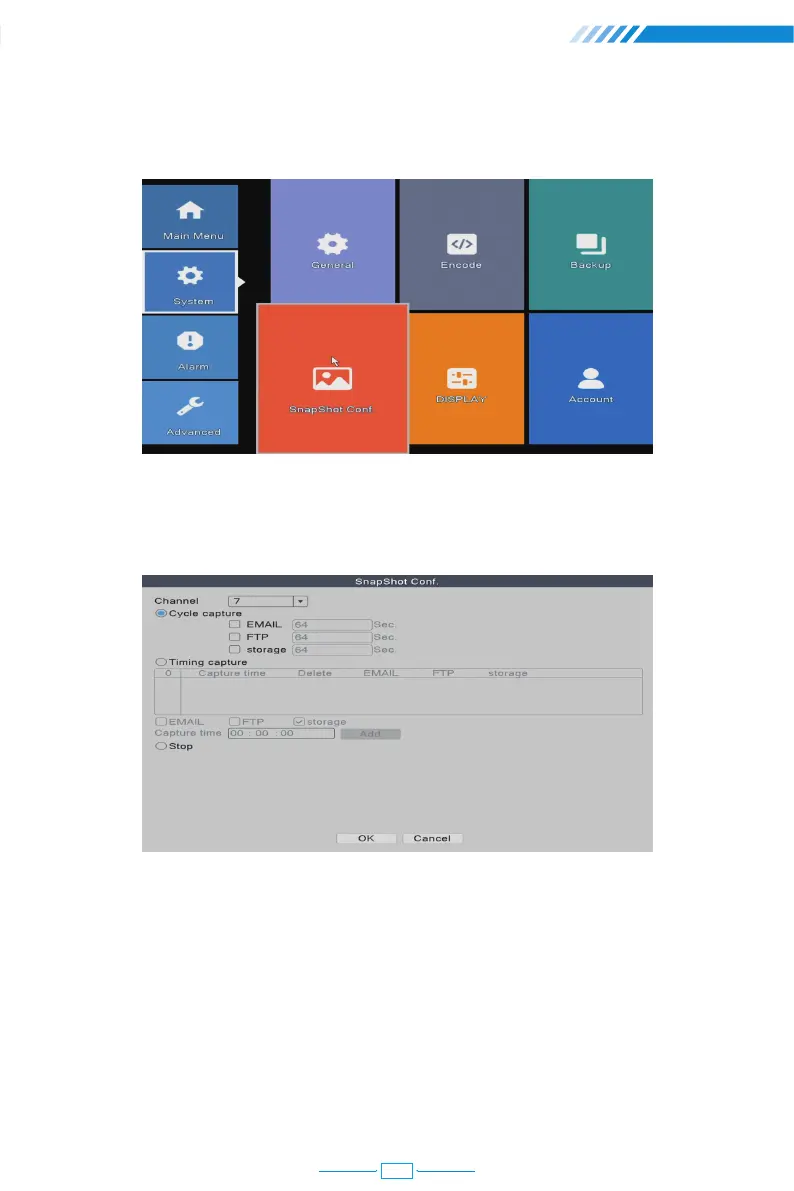
2.7 Snapshot Configuration
Right click the mouse→【Main Menu】→【System】→【SnapShot Conf.】
[Cycle capture] The camera will take snapshots periodically when you choose Cycle
capture. For example, if the default snapshot period is 64 seconds, it means the camera
will automatically take snapshot every 64 seconds.
[EMAIL] Tick it and the NVR will send the snapshots captured by the cameras to your e-mail
address.
[FTP] Tick it to enable this function. Buyers need to build their own ftp service by themselves.
[storage] Tick it and the NVR will store the snapshots captured by the cameras in the HDD.
10



 To Next Page