will hear a buzzer sound, then the display will boot up and the device will access to the
preview image. After the recovery of the non-normal power failure, the device will
automatically return to the state it was in before the power outage.
2 Function Setting
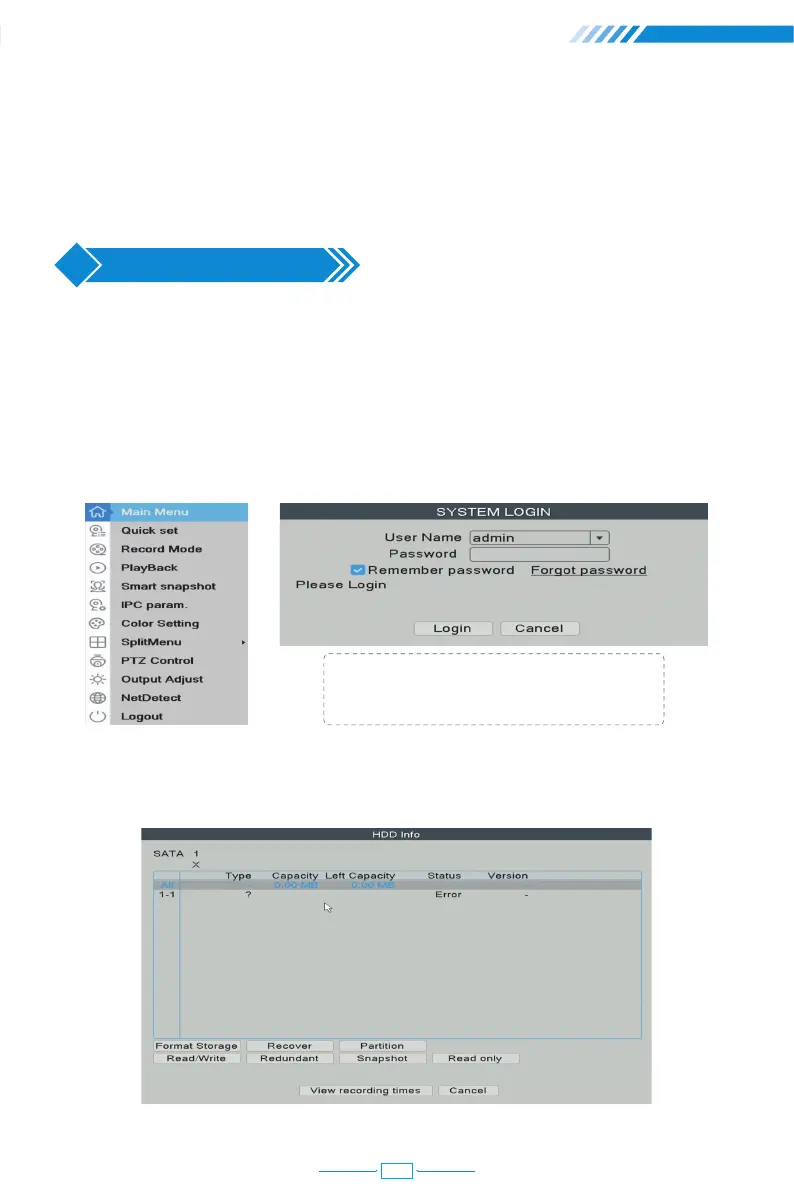
2.1 Login System
After the normal boot, you have to log in first and the system will provide the corresponding
function according to the user's rights.
Right click the mouse → 【Main Menu】
2.2 HDD Setup
Right click the mouse→【Main Menu】→【Advanced】→【HDD Info】
User name: admin (default)
Password: Just leave it blank as default.
05



 To Next Page