Notice: If the "Enable" option is on and the "Human Detect" is off, the camera will
detect all movements, including pets, vehicles, plants, etc. Therefore, we recommend
you to active "Human Detect" to reduce false alerts. It shows that "Human Detect"
function can reduce 98%-99% of the false alerts. If you need to enable this function
please make sure your camera support human/face detection.
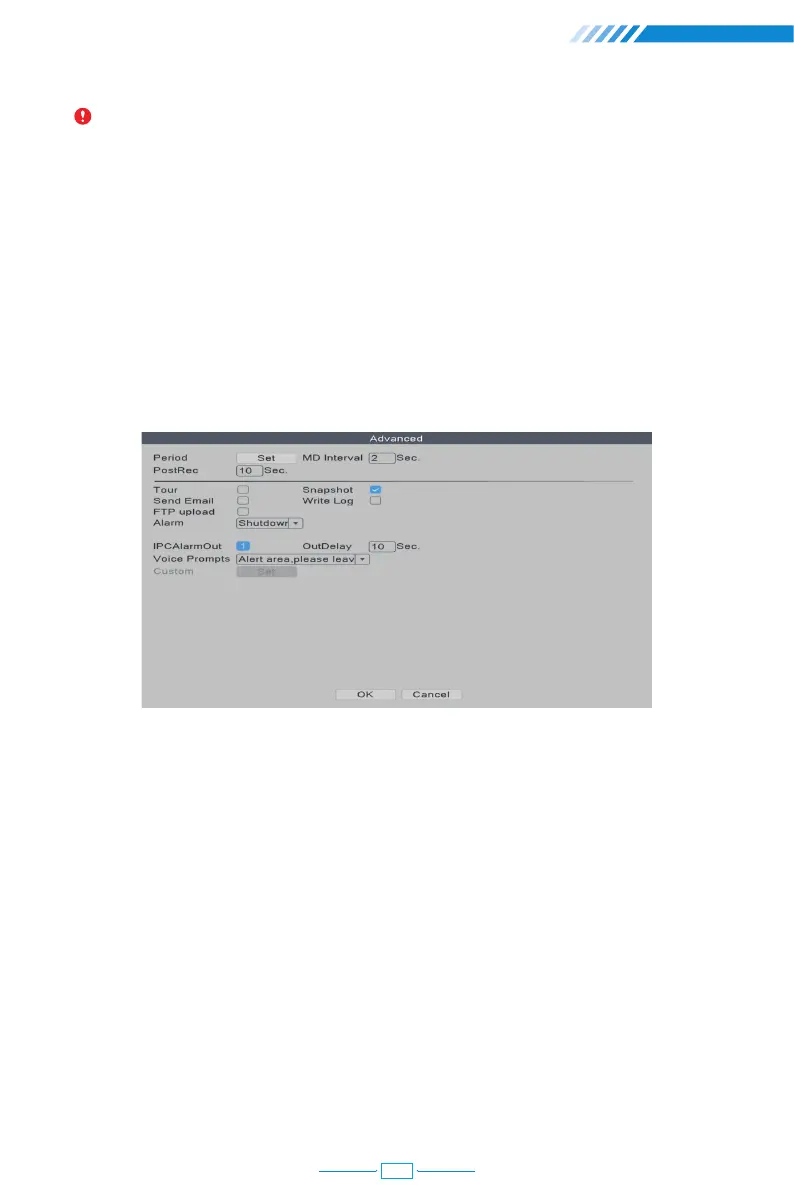
2.13.2 Advanced Setting of Human Detection/Face Detection
Right click the mouse→【Main Menu】→【Alarm】→【Intelligent Alert】→【Human Detect】/
【Face detection】→【Advanced】, click Set button.
[Period] The time period of the detection.
[MD Interval] The interval between 2 human motion movements alerts.
[PostRec] To adjust the length of the video after the camera detects abnormal movements.
[Tour] Not applicable.
[Snapshot] When it is ticked on, the camera will take snapshots when it detects abnormal
movements.
[Send Email] When it is ticked on, the camera will send alerts to your e-mail address
when it detects abnormal movements.
[Write Log] When it is ticked on, the NVR will mark down the alarm record. You can review
the records by following this path: Right click the mouse→【Main Menu】→【Advanced】→【Log】.
[FTP upload] Not applicable.
18



 To Next Page