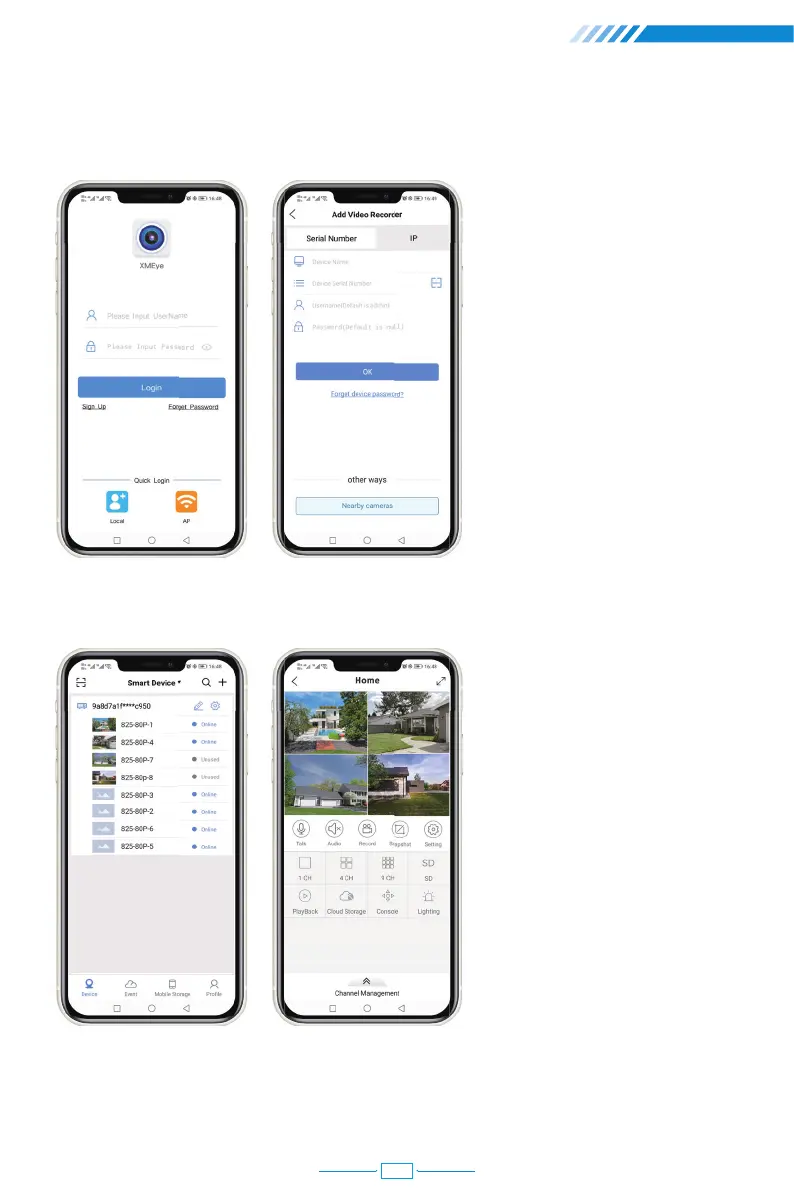
②Install successfully, register user, add device and begin a remote view.
Step 1:
Tap register and input your
Username, Password to
create a new account.
Step 2:
Click "+" to add devices:
input Serial No., username
and password .
Step 3:
After device added, click it
to link the sever.
Step 4:
Connect successfully and
start to view video.
19
29



 To Next Page