40
Status
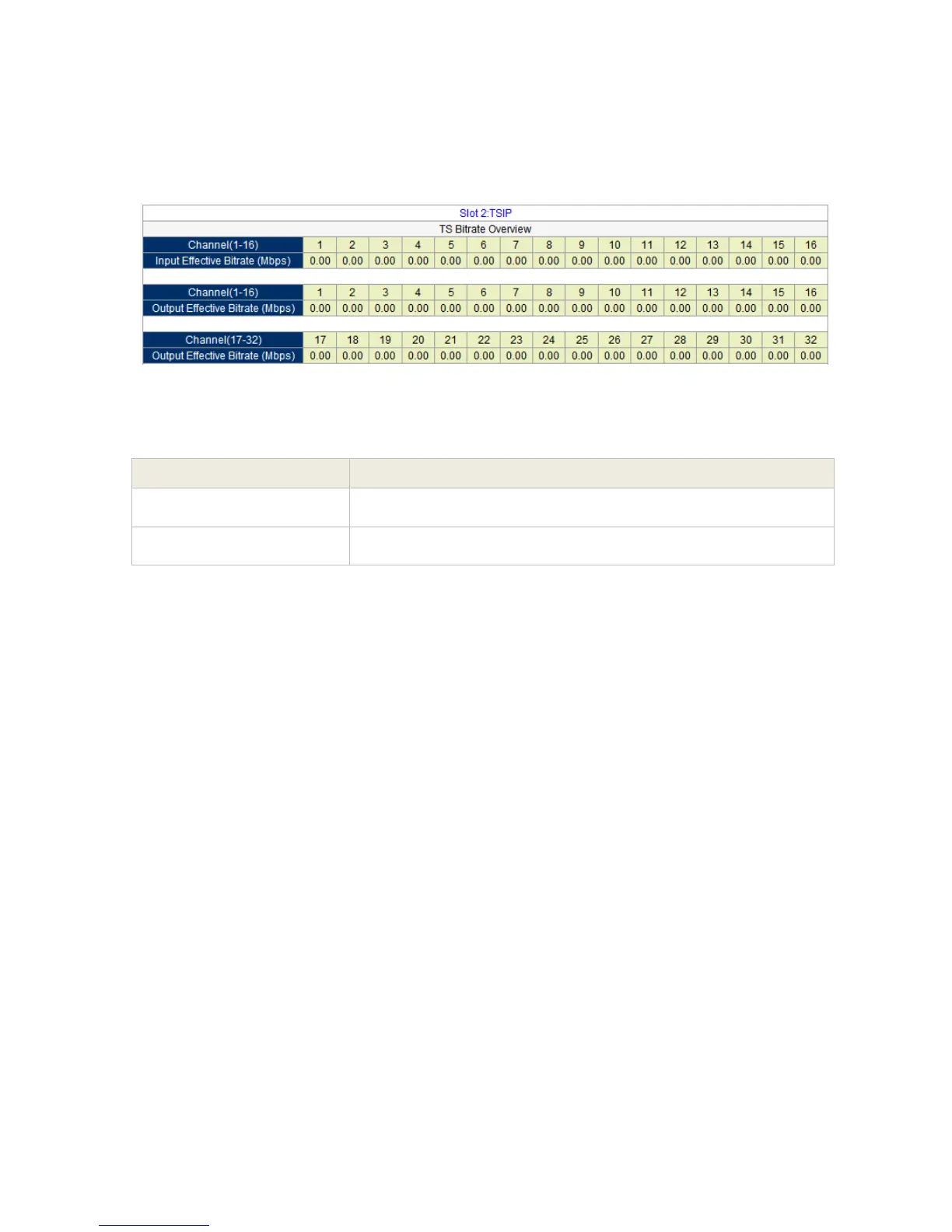
Go to “Status” tab and click sub-tab “IP”. The parameters of this part are derived from the input
signal; they will be gotten automatically when the input signal is available, and cannot be
changed by the user.
Pic-3.1-32
NOTE:
Once the IP module is properly configured, a status data will automatically
appear.
If no data status shown on the TSIP Input:
o Check the configuration is the Multicast Address and port is correct
based from the source input.
o Check the TSIP out of the source (via VLC) it is really transmitting.
3.1.4.6 QAM/COFDM Module
The QAM/COFDM module can output up to 8 separate RF QAM frequencies signals with one
physical output interface, and extra monitor port is used for local monitoring. With adopting
corresponding license key, the module can turn to a 4-COFDM module without changing the
hardware.
Indicates the valid bit rate of input signal. (excluding the null
packet). The unit is Mbps
Indicates the bit rate of valid packet (excluding the null packet).
The unit is Mbps.



 To Next Page