30
3.1.4 Parameters Setting of the Sub-module
In accordance with the 3 modular slots of the equipment, there are total 3 module parameters
setting tabs under the tab Module Configuration in the tool bar. Each tab contains the access to
configure the parameters of the module.
It is of great importance to correctly set the parameters of each module so that
the equipment can work properly. Please go through this section for the module
setting details before operating the equipment.
3.1.4.1 DVB-C Module
Setting
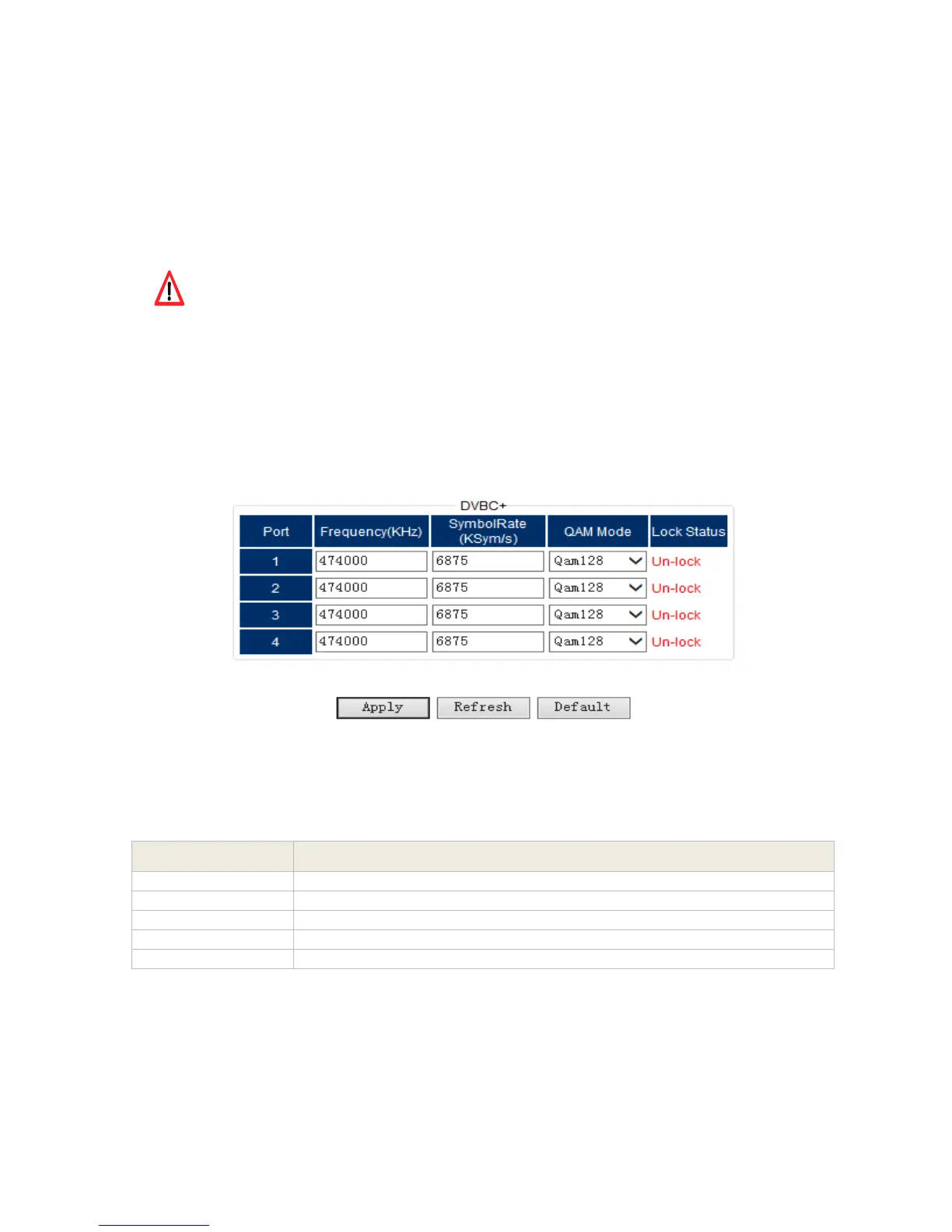
In order to receive the input signal successfully, it’s important to set the correct parameters in
the setting menu.
Pic-3.1-21
Below are the key parameters:
Indicates which input port the channel comes from.
Frequency on which the channel is transmitted. The unit is in KHz.
Symbol rate of the input channel. The unit is in KS/s.
Select the actual QAM mode of the input channel.
Indicate whether a cable signal is locked
Note: the input signals of Port 1&2 are from the ‘RF-IN 1/2’ port of tuner 1, and the input
signals of Port 3&4 are from the ‘RF-IN 3/4’ port of tuner 2.
Please contact your program provider for the parameters details of the channel if you are
not clear about.



 To Next Page