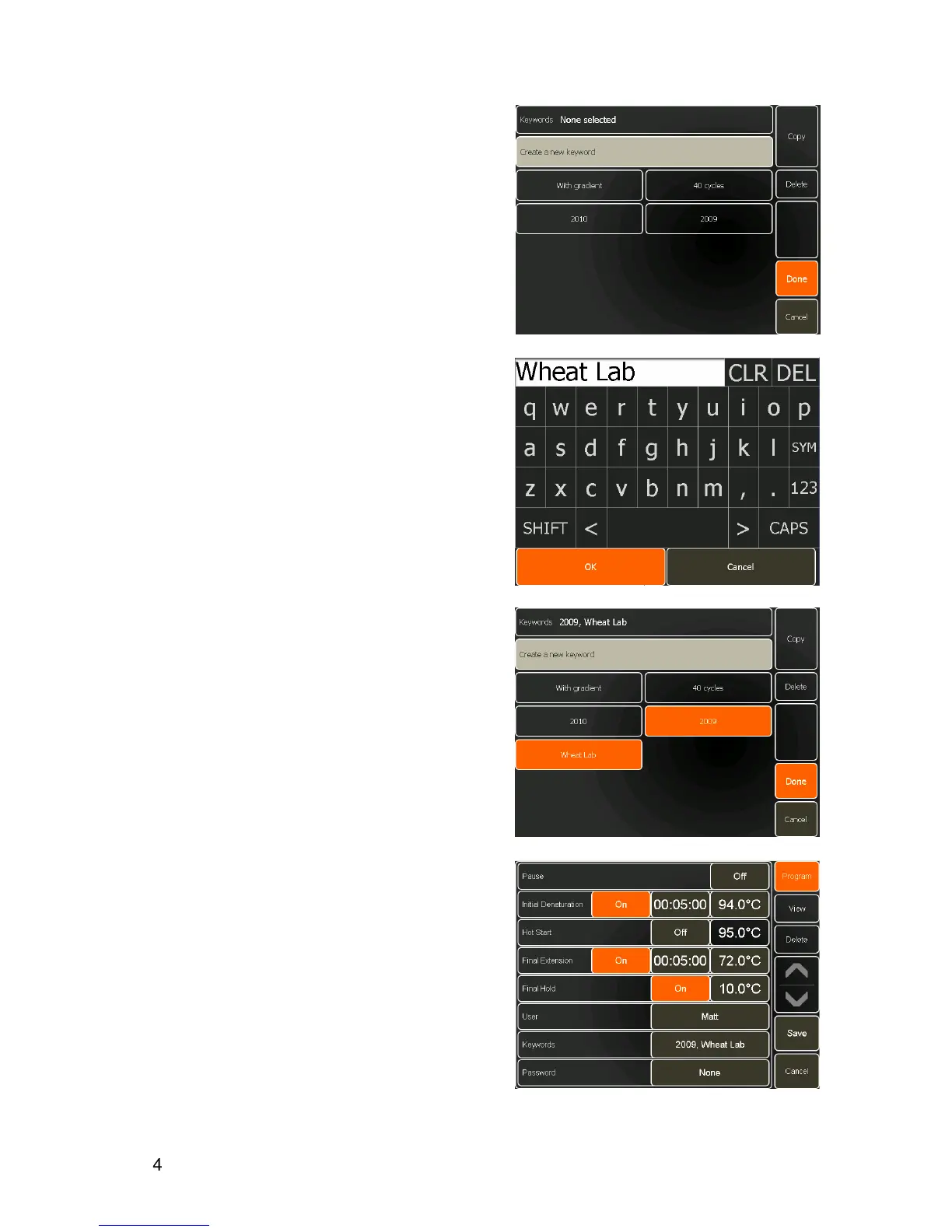
Keywords can be entered and linked to the program to
help in searching for related programs.
•
To enter a keyword, touch the
None selected
button next to Keywords.
•
Other keywords that have already been created will
then be listed.
•
To create a new keyword, touch the
Create a new
keyword
button.
•
Type in the keyword and touch
OK
.
The new key word will be added to the list.
•
To select a keyword, touch the button to highlight it.
Touch it again to de-select it. More than one
keyword can be selected
•
To delete a keyword from the list, select the
keyword(s) and touch
Delete
.
•
Touch
Done
to return to Program Options.
The keyword(s) will now appear on the Program
Options screen.
•
Touch the
Program
button to return the
programming screen.


 To Next Page