23 Technetix Group Limited Rev.1.0.1_0217
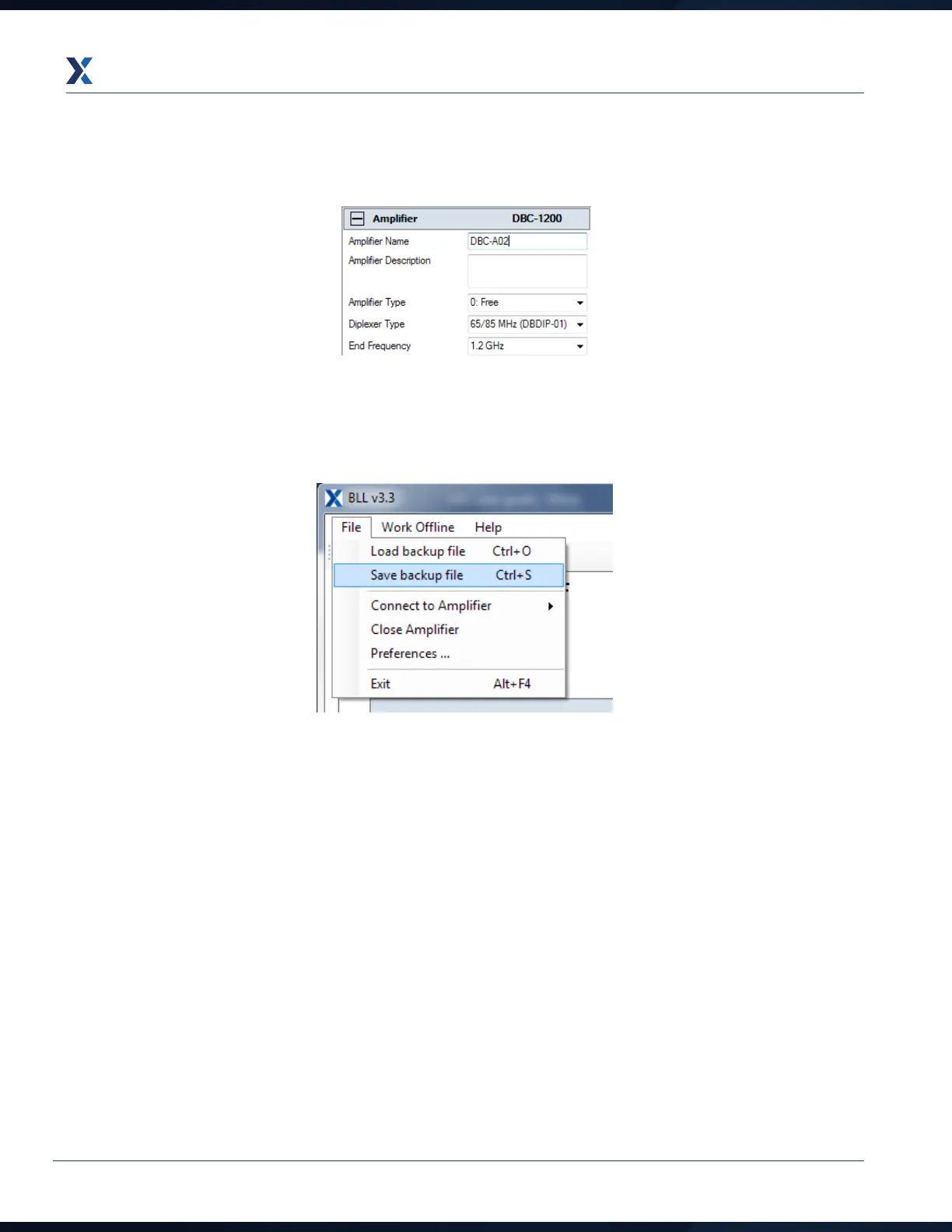
3. To save the amplifier settings electronically, enter the amplifier ID number into the Amplifier name field as shown
below. Use the same name as for the upstream activation.
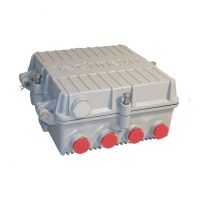
4. Next click on the Tools tab and then click on Save current state to file. File name will be the amplifier name as in
the screen shot and the date at time of saving.


 To Next Page