@
CONTENTS
©
Operation
....
nn...
cecsssccsssecscrsssceserersseessceesseesssesseresens
Disassembly
Instructions
oo...
elec
eceeeeceeseeeeeeee
¢
Information
on
Power
Supply
Jig
¢
Measurement
and
Adjustment
Methodes...........
9,
10
¢
Microcomputer
Terminal
Function
and
Waveform
......cccccccscscssssssssssssscsceesseresseeseneeees
11,12
@
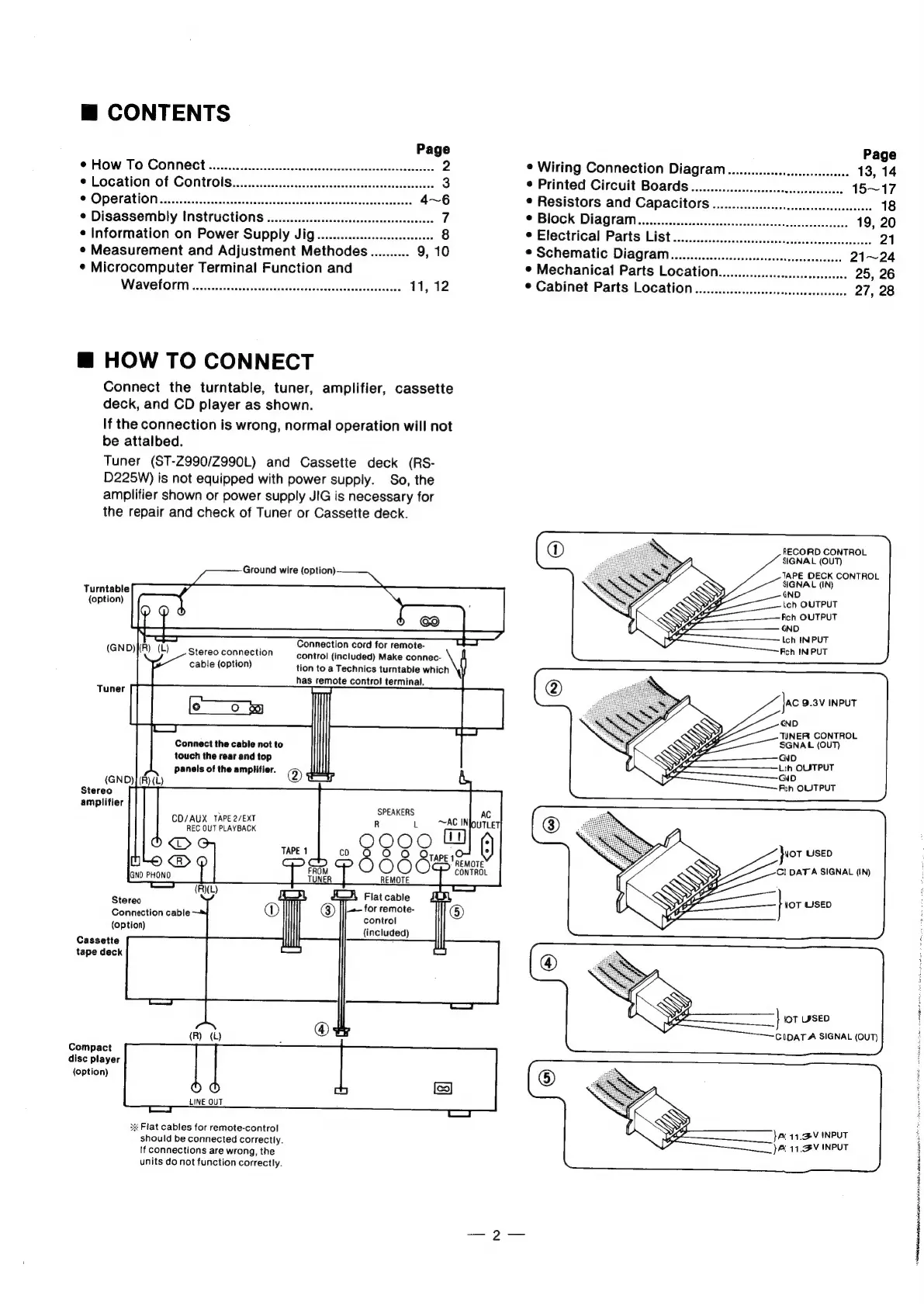
HOW
TO
CONNECT
Connect
the
turntable,
tuner,
amplifier,
cassette
deck,
and
CD
player
as
shown.
If
the
connection
is
wrong,
normal
operation
will
not
be
attalbed.
Tuner
(ST-Z990/Z990L)
and
Cassette
deck
(RS-
D225W)
is
not
equipped
with
power
supply.
So,
the
amplifier
shown
or
power
supply
JIG
is
necessary
for
the
repair
and
check
of
Tuner
or
Cassette
deck.
Ground
wire
(option)
Turntable
(option)
Connection
cord
for
remote-
control
(included)
Make
connec-
tion
to
a
Technics
turntable
which
has
remote
control
terminal.
Stereo
connection
cable
(option)
Connect
the
cable
not
to
touch
the
rear
and
top
Panels
of
the
amplifier.
@®
(GND)I(R)(L)
Stereo
amplifier
SPEAKERS
CD/AUX
TAPE
2/EXT
REC
OUT
PLAYBACK
Seat
Flat
cable
Connection
cable
ea
(option)
{included)
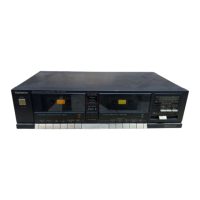
Cassette
tape
deck
(R)
(L)
@
Compact
disc
player
(option)
O
©
LINE
OUT
2x
Flat
cables
for
remote-control
should
be
connected
correctly.
If
connections
are
wrong,
the
units
do
not
function
correctly.
*
Wiring
Connection
Diagram..
¢
Printed
Circuit
Boards
uo...
eeccccscsssssecececsscees
©
Resistors
and
Capacitors
oo...
ccccccccccccsesssesscseseesees
®
Block
Diagram..........ccccccccesesscesescseesees
¢
Electrical
Parts
List
¢
Schematic
Diagram...
¢
Mechanical
Parts
Location..........ccccecccccssesecceesee.
¢
Cabinet
Parts
Location
.u....ceccccsesescccessecccceesess
RECORD
CONTROL
SIGNAL
(OUT)
TAPE
DECK
CONTROL
SIGNAL
(IN)
ich
IN
PUT
Fch
IN
PUT
Jac
9.3V
INPUT
GND
TWNER
CONTROL
SGNAL
(OUT)
GND
Lith
OLSTPUT
GND
Fth
OUTPUT
NOT
USED
Cl
DATA
SIGNAL
(IN)
WOT
USED
|
WOT
USED
CIDATA
SIGNAL
(OUT)
ar
41.V
INPUT
JAl
11.
INPUT


 To Next Page