EasyManua.ls Logo

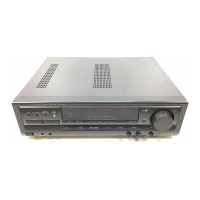
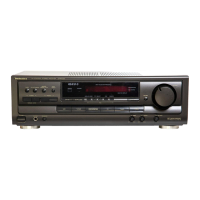
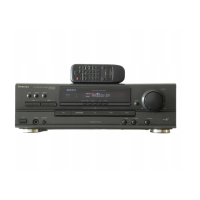
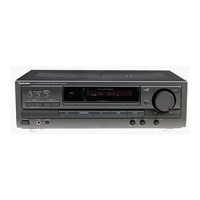
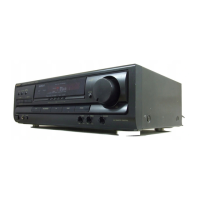
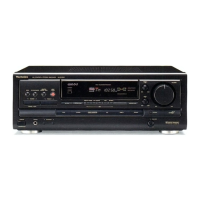
Technics SA-EX 140 - Front Panel Controls

Technics SA-EX 140
20 pages
Print Icon
To Next Page IconTo Next Page
To Previous Page IconTo Previous Page
Loading...
Front
panel
controls
O
Power
(/1”
switch
(POWER,
(/)
Press
to
switch
the
unit
from
on
to
standby
mode
or
vice
versa.
In
standby
mode,
the
unit
is
still
consuming
a
small
amount
of
power.
@
Tuning
buttons
(v
TUNING
a)
©
Band
select
button
(BAND)
@)
FM
mode
select
button
(FM
MODE)
©
Memory
button
(MEMORY)
©
Preset
channel
buttons
(v
PRESET
4)
@
Remote
control
signal
sensor
(SENSOR)
Display
;
©
Muting
button
(MUTING)
Volume
contro!
(VOLUME)
di)
Headphones
jack
(PHONES)
i
(2
Speakers
select
button
(SPEAKERS
A/B/OFF)
(3
Input
select
buttons
4)
Tape
monitor
button
(TAPE
MONITOR)
4
Tone
controls
(BASS,
TREBLE)
í
Balance
control
(BALANCE)
Before
use
a
Remote
control
E]
@
Power
button
(POWER)
@
Input
and
Mode
select
buttons
(TV,
VCR,
TUNER,
CD)
©
PP
/
PP
button
(
P>
/
>>)
@
AA
44
button
(444/44)
©
Channel
up/down
buttons
(v
CH
^)
®©
Muting
button
(MUTING)
@
Volume
buttons
(-
VOLUME
+)
Mode
select
button
(VDP)
|
@).Tape
monitor
button
(TAPE
MONITOR)
dO
E
button
(W
)
M
<
button
(<4)
@
>
button
(P)
(3
Ant-TV/Ver
button
(ANT-TV/VCR)
®
Disc/Deck
1/2
button
(DISC/DECK
1/2)
(5
Direct
tuning/disc
enter
button
(DIRECT
TUNING/DISC
ENTER)
È
Numbered
buttons
5
RQT5221

Related product manuals