EasyManua.ls Logo

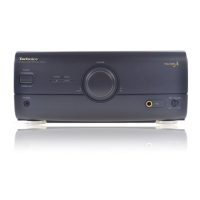
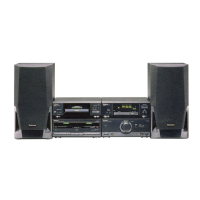
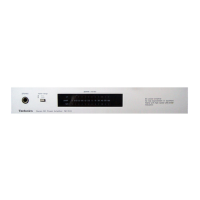
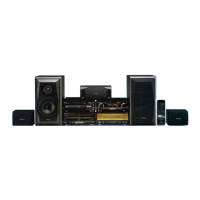
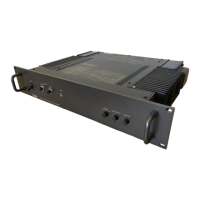
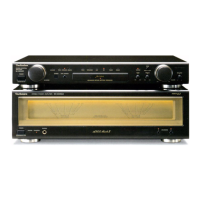
Technics SE-CH610 - Service Manual

Technics SE-CH610
27 pages
Print Icon
To Next Page IconTo Next Page
Loading...
ORDER
NO.
AD9412357C3
Service
Manual
Amplifier
SB-CH610
SB-CH610
SL-CH610
ST-CH610
Remote
Control
Transmitter
SE-CH610
RS-CH510
Because
of
unique
interconnecting
cables,
when
a
component
requires
service,
send
or
bring
in
the
entire
system.
Specifications
Power
output
DIN
1
kHz,
THD
1%,
both
channel
driven
2x
50
W
(6Q)
Total
harmonic
distortion
Rated
power
at
1
kHz
1%
(622)
Half
power
at
1
kHz
0.09%
(62)
Load
impedance
6Q
S/N
(rated
power)
84
dB
Frequency
response
40
Hz
30
kHz
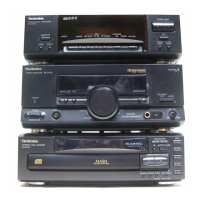
System
Tuner/sound
processor
SC-CH610
ST-CH610
Compact
disc
changer
Amplifier
Cassette
deck
Amplifier
SE-CH610
Colour
(K)
:
Black
Areas
Suffix
for
Area
Colour
Model
No.
Asia,
Latin
America,
Middie
East
and
Africa
System:
SC-CH610
m@
General
Power
consumption
166
W
Power
supply
110/127/220/230
240
V,
AC
50/60
Hz
Dimensions
(W
x
H
x
D)
270
X118.5x329.5
mm
Weight
4.4
kg
Notes:
Specifications
are
subject
to
change
without
notice.
Weight
and
dimensions
are
approximate.
Total
harmonic
distortion
is
measured
by
the
digital
spectrum
analyzer.
/\WARNING
This
service
information
is
designed
for
experienced
repair
technicians
only
and
is
not
designed
for
use
by
the
general
public.
t
does
not
contain
warnings
or
cautions
to
advise
non-technical
individuals
of
potential
dangers
in
attempting
to
service
a
product.
Products
powered
by
electricity
should
be
serviced
or
repaired
only
by
experienced
professional
technicians.
Any
attempt
tos
ervice
or
repair
the
product
or
products
dealt
with
in
this
service
information
by
anyone
else
could
result
in
serious
injury
or
death.
‘Technics
©
1995
Matsushita
Electric
Industra
|
Co.,
Ltd.
All
rights
reserved.
Unauthorized
;opying
and
distribution
is
a
violation
of
law
Question and Answer IconNeed help?

Do you have a question about the Technics SE-CH610 and is the answer not in the manual?

Technics SE-CH610 Specifications

General IconGeneral
BrandTechnics
ModelSE-CH610
CategoryAmplifier
LanguageEnglish

Summary

Specifications

Before Repair

Protection Circuitry

Explains the protection circuit's function and reset procedure.

Accessories

Stacking the Components

Connections

System Connections

Details how to connect the system components using flat cables.

FM Indoor Antenna Connection

Guides installation of the FM indoor antenna for optimal reception.

AM (MW;LW) Loop Antenna Connection

Details connecting the AM/LW loop antenna for best reception.

Speaker and AC Power Connections

Provides instructions for connecting speaker cables and the AC power cord.

Optional Antenna Connections

Covers optional outdoor antenna connections and using antenna plugs.

External Unit Connection

Location of Controls

Operation Check and Main Component Replacement Procedures

Checking Procedure for each P.C.B.

Outlines steps for checking the operation of major printed circuit boards.

Main Component Replacement Procedures

Details procedures for replacing key components like ICs, transistors, and fan motors.

Power Source ON;OFF of This Unit

Operation Check

Describes how to perform an operation check after power is supplied.

Schematic Diagram

Operation Circuit

Details the schematic for the operation circuit.

Headphones Jack Circuit

Details the schematic for the headphones jack circuit.

Mic Jack Circuit

Details the schematic for the microphone jack circuit.

Main Circuit

Details the schematic for the main circuit.

Power Transformer Circuit

Details the schematic for the power transformer circuit.

Voltage Selector Circuit

Details the schematic for the voltage selector circuit.

AC Input Terminal Circuit

Details the schematic for the AC input terminal circuit.

Printed Circuit Board Diagram

Operation P.C.B.

Illustrates the component layout for the Operation P.C.B.

Headphones Jack P.C.B.

Illustrates the component layout for the Headphones Jack P.C.B.

Mic Jack P.C.B.

Illustrates the component layout for the Mic Jack P.C.B.

Main P.C.B.

Illustrates the component layout for the Main P.C.B.

AC Input Terminal P.C.B.

Illustrates the component layout for the AC Input Terminal P.C.B.

Power Transformer P.C.B.

Illustrates the component layout for the Power Transformer P.C.B.

Voltage Selector P.C.B.

Illustrates the component layout for the Voltage Selector P.C.B.

Wiring Connection Diagram

Function of IC Terminals

Block Diagram

Replacement Parts List

Cabinet Parts List

Accessories

Lists various accessories included with the unit.

Packing Materials

Details the packing materials used for shipping the unit.

Cabinet Parts Location

Packaging

Related product manuals