EasyManua.ls Logo

Technics SU-A900DM2 - Front Panel Controls

Technics SU-A900DM2
31 pages
Print Icon
To Next Page IconTo Next Page
To Previous Page IconTo Previous Page
Loading...
@
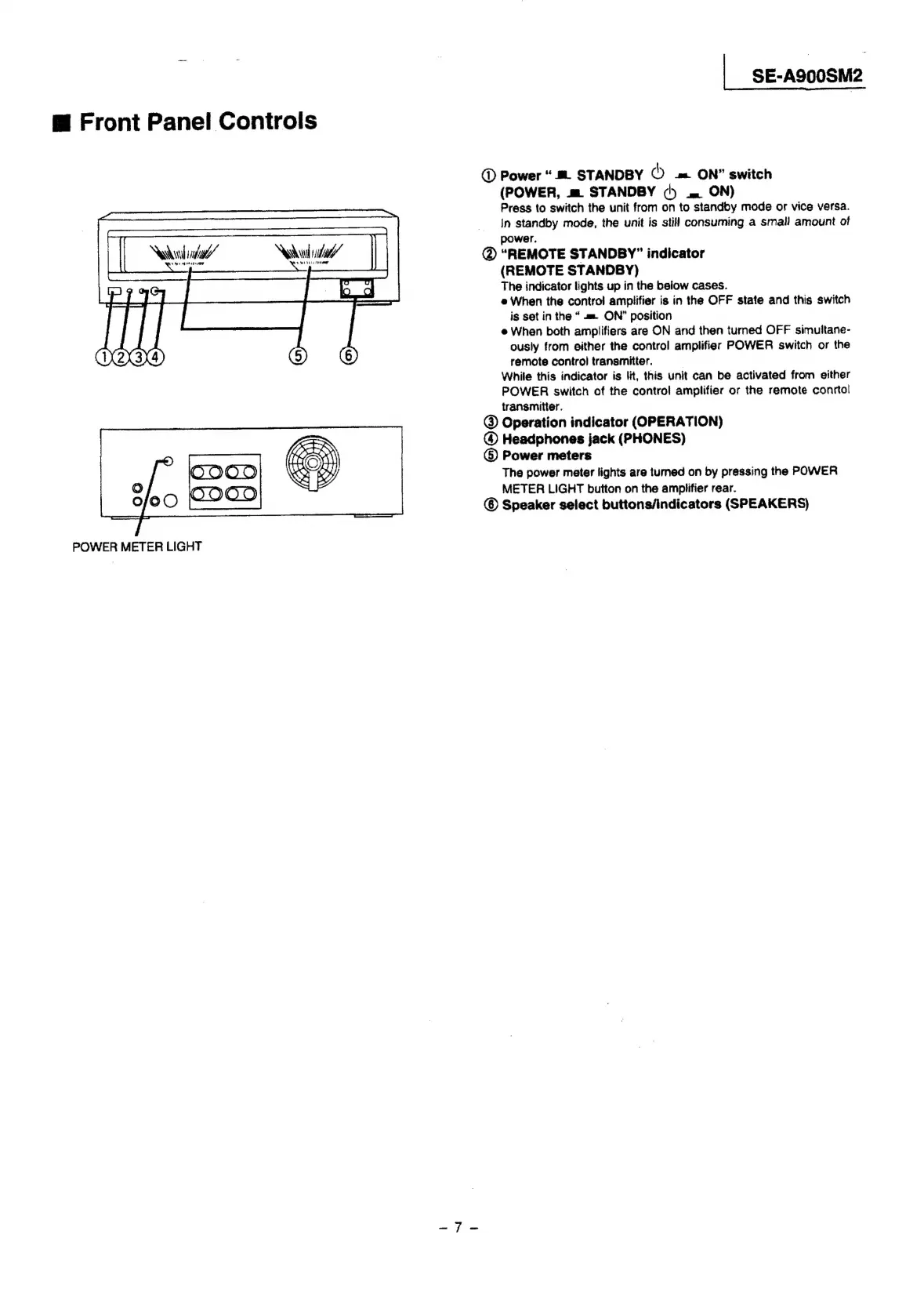
Front
Panel
Controls
Nila’
Nadu
Ls
~
{
POWER
METER
LIGHT
|
SE-A900SM2
@
Power
“#
STANDBY
©
=
ON”
switch
(POWER,
m
STANDBY
b
am
ON)
Press
to
switch
the
unit
from
on
to
standoby
mode
or
vice
versa.
In
standby
mode,
the
unit
is
still
consuming
a
small
amount
of
power.
@
“REMOTE
STANDBY”
indicator
(REMOTE
STANDBY)
The
indicator
lights
up
in
the
beiow
cases.
e
When
the
control
amplifier
is
in
the
OFF
state
and
this
switch
is
set
in
the
«=.
ON”
position
e
When
both
amplifiers
are
ON
and
then
turned
OFF
simultane-
ously
from
either
the
control
amplifier
POWER
switch
or
the
remote
control
transmitter.
|
While
this
indicator
is
lit,
this
unit
can
be
activated
from
either
POWER
switch
of
the
control
amplifier
or
the
remote
conrtal
transmitter.
@
Operation
indicator
(OPERATION)
@
Headphones
jack
(PHONES)
()
Power
meters
The
power
meter
lights
are
tumed
on
by
pressing
the
POWER
METER
LIGHT
button
on
the
amplifier
rear.
Speaker
select
buttons/indicators
(SPEAKERS)

Related product manuals