14
DEENFRETSLROLVLTPTRU
Chapter 1: Introduction
Dening the TechniSat PC product range
Dening PCI cards
PCIcardsareextensioncardsthatarepluggedintoaPCIslotonthemainboard
ofyourcomputer.
Dening PCIexpress cards
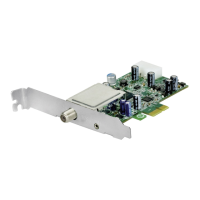
PCIexpresscardsareextensioncardsthatarepluggedintoaPCIexpressslot
onthemainboardofyourcomputer.
Dening USB 2.0 boxes
USB2.0boxesareexternalPCboxesthatarepluggedintoaUSB2.0portofyourcomputer.
Using printed help
Thisuser’sguidereferstothehardwarequickinstallguidewhichispartoftheproduct
shipment.
Pleasefollowhequickinstallguidetoproceedthehardwareinstallation.
Youwillndthelatestversionofthisdocumentaspartofthecurrentdriverandsoftware
packagefortheproduct.Youcandownloadthecurrentdriver/softwarepackagefromour
websitehttp://www.technisat.com
User’s guide conventions
Forclarity,theUser’sGuideemploysthefollowingconventions:
Navigationpathsarerepresentedasfollows:
“Start” => “Programs” => “TechniSat DVB” => “Setup4PC”
ThepathshowninthisexamplelaunchesSetup4PC


 To Next Page