EasyManua.ls Logo

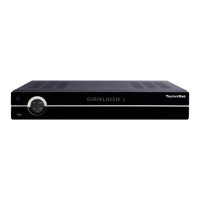
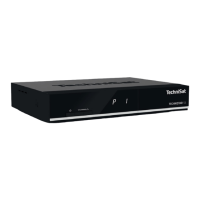
TechniSat HD-S 261 - User Manual

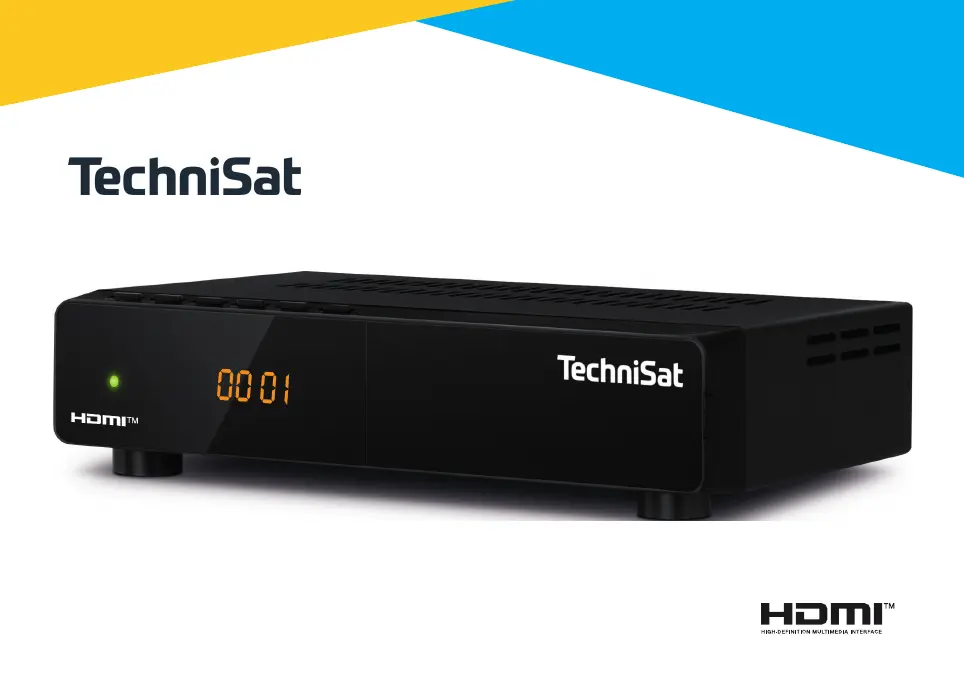
TechniSat HD-S 261
36 pages
Go to English
Print Icon
To Next Page IconTo Next Page
Loading...
HD-S 261

Table of Contents

Questions and Answers

  • S
    Sean AllenJul 29, 2025
    What to do if the TechniSat HD-S 261 Receiver remote control does not work?
    • D
      Dr. Angela HendersonJul 29, 2025
      If the remote control for your TechniSat Receiver isn't working, there could be a few reasons. First, check the batteries. They might be flat or inserted incorrectly. Replace them with new ones, making sure the polarity is correct. Also, ensure that you are aiming the remote control directly at the front of the receiver and that you are not too far away.
  • A
    Andrew CamposAug 3, 2025
    Why are there blocks or distortions appearing in the picture on my TechniSat HD-S 261 Receiver?
    • C
      Claire KempAug 4, 2025
      Blocks or distortions in the picture on your TechniSat Receiver typically indicate a weak satellite signal. To resolve this, inspect your satellite system or consider amplifying the signal.
  • J
    jimenezpaulAug 9, 2025
    What to do if my TechniSat HD-S 261 Receiver only plays sound but no picture?
    • C
      Charles FernandezAug 9, 2025
      If your TechniSat Receiver is only playing sound and there is no picture, there are a couple of things to check: * First, make sure the SCART cable is correctly inserted. * Also, ensure that you haven't accidentally selected a radio channel. If so, press the TV/radio button to switch back to TV mode.
  • S
    Shannon MartinAug 16, 2025
    How to fix TechniSat Receiver remote control when it is not correctly aligned?
    • J
      Jennifer DillonAug 16, 2025
      To fix a TechniSat Receiver remote control that is not correctly aligned, align the remote control correctly with the front or reduce the range.
  • B
    Bianca GreenAug 22, 2025
    Why does my TechniSat HD-S 261 Receiver only play sound but no picture?
    • A
      Alexander ParkerAug 22, 2025
      If your TechniSat Receiver is only playing sound and not displaying a picture, it might be due to an incorrectly inserted SCART cable. Ensure the SCART cable is properly connected. Alternatively, the receiver might be set to a radio channel. Press the TV/radio button to switch back to TV mode.

Summary

Safety and Important Information

Legal Notices

Legal disclaimers and compliance information for the device.

Safety Instructions

Essential precautions for safe operation and to prevent damage.

Disposal and Operation Notes

Guidance on disposal, operation tips, and data security.

Notes

General remarks and supplementary information.

Getting Started and Basic Operation

Service and Illustrations

Information on service, support, and visual guides to device panels.

Remote Control Operation

Guide to remote control buttons, battery installation, and usage.

Connections and First Use

Overview of physical connectors and initial setup procedures.

Receiver Operations

Instructions for volume, sound, subtitles, info, EPG, Teletext, and media playback.

Settings and Configuration

Channel List Management

Editing, managing, and customizing channel lists and favourites.

System and Display Settings

Configuring language, TV system, picture, time, and OSD settings.

Advanced Setup and Updates

Managing antenna, scans, audio description, network, and software updates.

Security and Maintenance

Configuring child lock, timers, and performing factory resets.

Troubleshooting and Technical Data

Troubleshooting

Common problems and their solutions for the receiver.

Technical Data

Detailed technical specifications of the receiver, including connections and formats.

TechniSat HD-S 261 Specifications

General IconGeneral
Signal sourceSatellite
Supported video modes480i, 576i, 576p, 720p, 1080i
Digital signal format systemDVB-S2
Personal Video Recorder (PVR) includedNo
Audio formats supportedAAC, MP2, MP3
Video formats supportedAVI, M2TS, MKV, MOV, MP4, MPG, MTS, TS, TS4, VOB
Video compression formatsH.264, MPEG2, MPEG4
Ethernet LAN-
TimerYes
Tuner typeDigital
Demodulation8PSK, QPSK
Product colorBlack
Frequency range950 - 2150 MHz
Number of tuners1 tuner(s)
Audio output channels- channels
On Screen Display (OSD) languagesDEU, ENG, ESP, FRE, ITA, POL, POR, TUR
Digital Satellite Equipment Control (DiSEqC)1.0, 1.2
USB 2.0 ports quantity1
USB 3.2 Gen 1 (3.1 Gen 1) Type-A ports quantity0
AC input voltage230 V
AC input frequency50 Hz
Power consumption (typical)18 W
Package depth156 mm
Package width214 mm
Package height52 mm
Package weight600 g
Operating temperature (T-T)5 - 35 °C
Operating relative humidity (H-H)10 - 75 %
Weight and Dimensions IconWeight and Dimensions
Depth130 mm
Width180 mm
Height44 mm
Weight512 g

Related product manuals