15
DEENFRETSLROLVLTPTRU
Chapter 2: Installing the DVB-PC TV device
Hardware installation
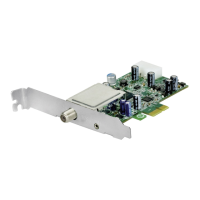
ToinstallyourTechniSatPCproductpleaserefertothequickinstallguidewhichispartof
yourTechniSatPCproductpackagecontent.
Chapter 3: Installing the driver and software components
Summary
InthischaptertheinstallationofSkyStarUSBHDisdescribedfortheoperatingsystemWindows
7Ultimatex86asanexample.Theinstallationfortheotheroperatingsystemssupportedbythe
productissimilar.
Install the driver
Pleaseusetheupdatedescriptionifyoualreadyinstalledapriorversionofthedriver/software
releasefortheTechniSatDVB-PCTVStarsdevices.
TheinstallationofPCI,PCIexpressandUSBdevicesdistinguishesinndingnewhardwareonly.
ThePCIandPCIexpresscardswillbefoundasnewPCI/PCIexpresshardwareandtheUSBboxes
willbefoundasnewUSBhardware.
IfyouinstalledmultipleDVB-PCTVStarsdevicestoyoursystem,the“FoundNewHardwareWi-
zard”willpromptforeachdevice.Youhavetoprocessthedriverinstallationforeachdevice.After
thelastdevicedriverisinstalled,youcanstartthesoftwareinstallation.
Fortheinstallationofthedevicedriversandthesoftwarepackageforyourproductyouwillneed
tohaveadministratorprivileges.Pleaseensurethatyouruseraccounttypeissetto“Administra-
tor”within“UserAccounts”.
Youcaneitherinstallthedriversbeforestartingtheinstallationofthesoftwareorletthedevice
driversbeinstalledusingtheautomaticsoftwareinstaller.Werecommendtheusetheautomatic
driverinstallationforinexperiencedusers.
Windows7willsearchfordriversautomatically.IfyouinserttheinstallationdiscWindows7will
ndthedevicedriverandinstallthedriverforyourTechniSatdevice.
Ifanyproblemoccursduringthisprocedure,readtheproductrelatedFAQonourwebsite.
Figure1:FoundNewHardware


 To Next Page