Run 1000 - Run 600 Excite
14
Run 1000
Run 600
A
A
B
B
C
C
Safety devices and warnings
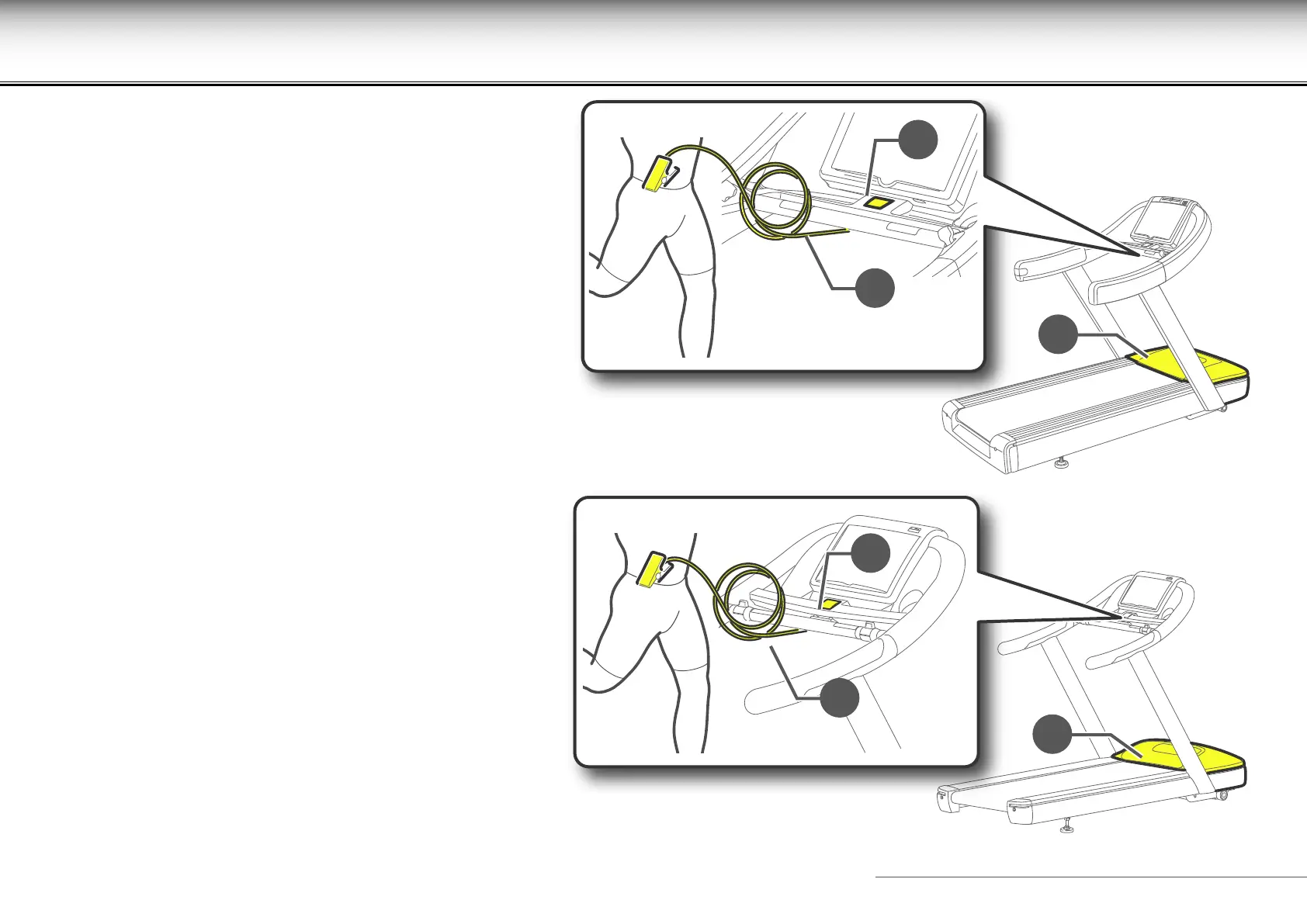
Fixed guard (A). Guards against access to the inside of the
equipment.
STOP button (B). This button can be used to stop the equipment
without having to use the normal controls.
Emergency switch (C).
It has a cord with a peg to clip on to the user’s clothing as shown
in the illustration below. Check that the peg grips onto clothing
suciently well to operate the emergency switch. The user
operates the emergency switch if he/she moves too far away
from the control panel, that is if the cord becomes taught.
To restore all the equipment's functions after an emergency
stop, press a button on the control panel .
Replace the emergency switch clip in its housing when you
have nished exercising.
User Present Function
The user present function is a safety function which stops the
belt if it is moving without any person walking or running on it.
This function is activated if the belt is at a speed greater than
or equal to 3 km/h.
If no user is detected for 30 seconds when at a speed of 3 km/h
or more, the belt stops and the exercise is paused.
At minimum speed, the user is detected only if they weigh at
least 50 kg.










 To Next Page