NOTE : Your set-top box will be turned on 5 minutes before the recording if a recording is supposed to
start while the set-top box is in Deep-Standby mode.
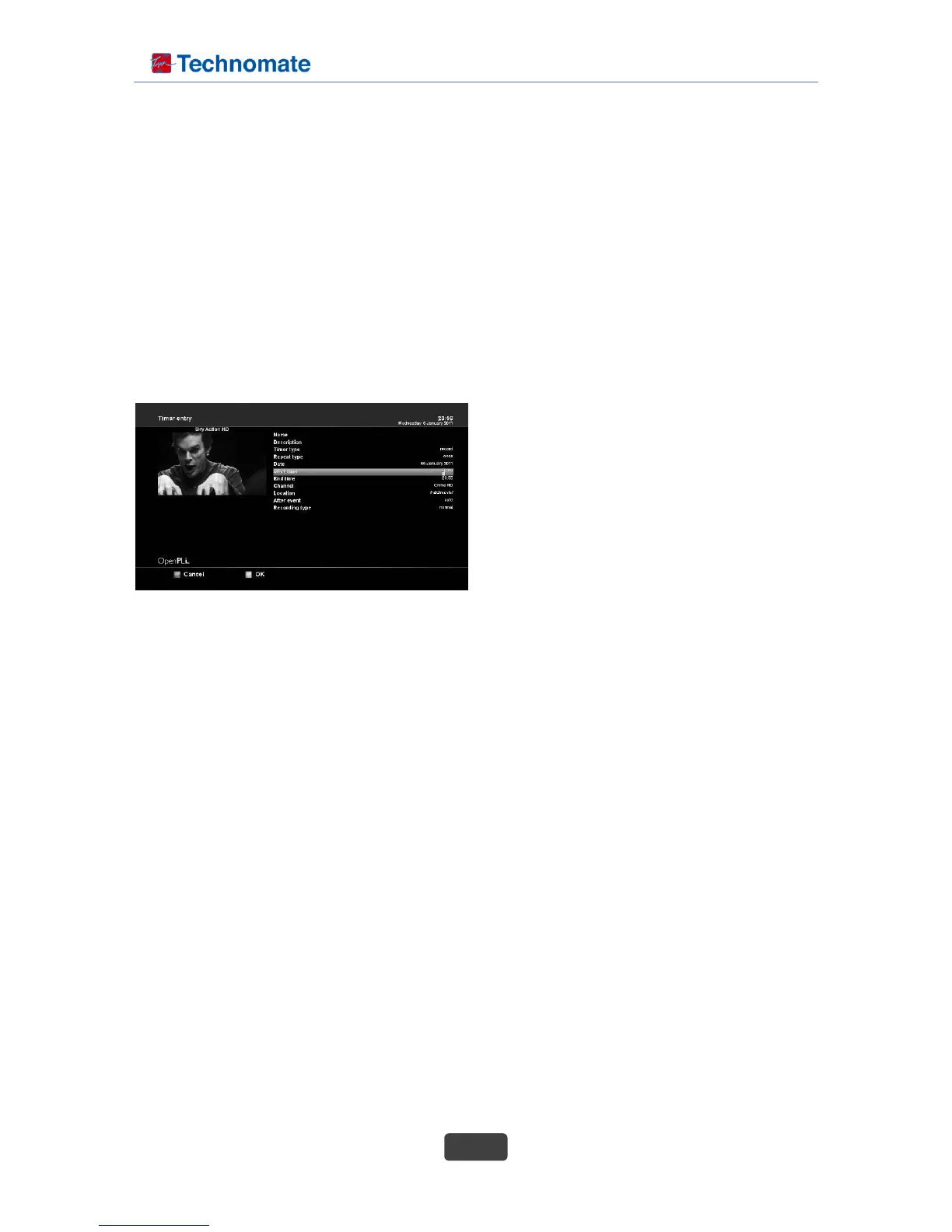
Manual programming
Press the Green options button to add a new timer.
1. Name : Displays the name of the selected program.
2. Description : Displays a short description of the selected program.
3. Timer Type :
- Select Zap for channel tuning reservation.
- Select Record for recording reservation.
4. Repeat Type :
- Select Once for one time of zapping or
recording reservation.
- Select Repeated for repeated zapping or
recording reservation.
5. Repeats - This option is given only when you
selected "Repeated" in the Repeat Type.
You can reserve zapping or recording per Daily /
Weekly / Mon-Fri / User-defined.
6. Date : Displays the current date. This entry is on when you selected Once, in the Repeat Type.
7. Start Time : You can set the time to begin recording or zapping.
8. End Time : You can set the time to end recording or zapping
9. Channel : This entry allows you to change the channel. Press Left / Right key to call up Channel
Selection menu. You can select a different channel from this list using this option. To return to Timer
entry menu, press EXIT.
10. Location : Choose the location.
11. After event : You can decide what should happen after the recording finishes by selecting the “After
event“ option. You can choose between
• auto : keep your set-top box in the same state as before the recording
• do nothing to keep your set-top box turned on after the recording
• go to standby to put your set-top box into Standby mode
• go to deep standby to shut down your set-top box once the timer is done
Set you desired option by pressing the Navigation buttons up/down and left/right and press the green
button to save the timer.
15. Playing back a recording
When a program is recorded, it is stored as a file on the built-in hard disk drive of the digital receiver.
You can select a recording to play back from the recorded program list.



 To Next Page