V. System Configuration
Set-top box is a very sophisticated device designed to allow users a variety of system setting options as
detailed as possible. You can fine-tune your set-top box to be your OWN system to fit your taste. This
chapter will guide you through the entire menu of system configuration.
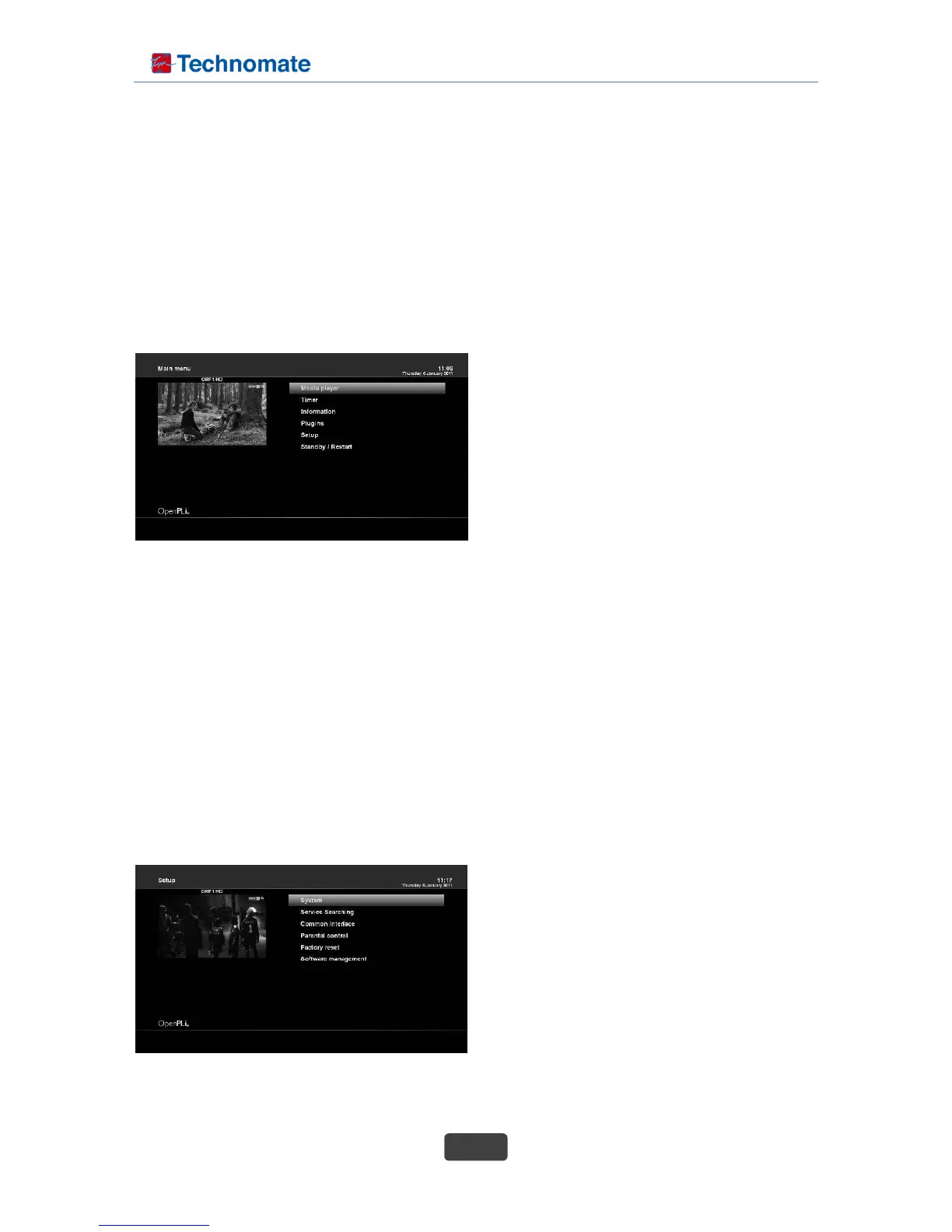
Prior to System Configuration, please take a notice on the menu structure of set-top box first.
1. MAIN MENU
The main menu of set-top box consists of the following sub menus.
1-1. Media player
: Activate Media player of set-top box. For more
information, please refer to the page 31.
1-2. Timers
: Please refer to the page 28.
1-3. Information
: If you want to check the H/W or S/W system of
your set-top box, this is the menu that you need to
use. Also, here you can check very detailed information of a specific service. For more information,
please refer to the page 53.
1-4. Plugins
Activates plugin browser of set-top box. Using this browser, you can log onto the designated website
and you can download a variety of new plug-ins. For more information, please refer to the page 31.
1-5. Setup
Provides all of the system settings. For more information, please refer to the page 33~49.
1-6. Standby / Restart
Provides options for power on/off and sleep timer. For more information, please refer to the page 17.
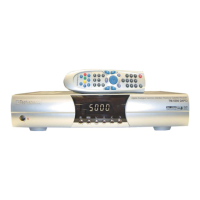
2. SETUP
The Setup menu consists of the following sub-menus.
1. System
2. Service Searching
3. Parental Control
4. Factory reset
5. Software management



 To Next Page