© 2006 Mobile Climate Control Industries Inc. Rev 0
ECC Controls
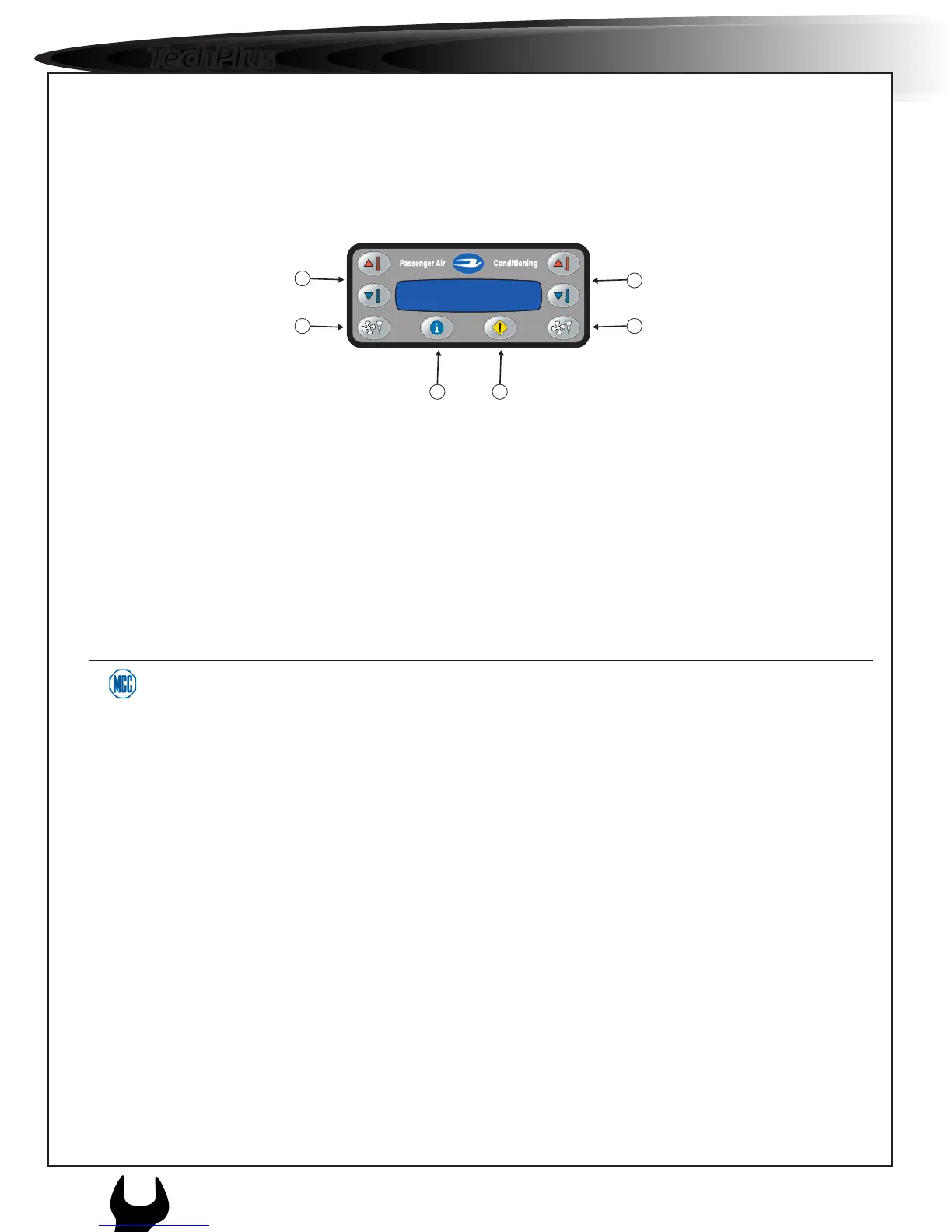
1 & 5. Front and Rear Temperature Set-Point Control
These Buttons changes air temperature setting for both front and rear air conditioning units. The controlled
temperature range is between 16°C(62°F) and 28°C(82°F).
2 & 6. Front and Rear Fan Speed Control.
The front and rear fan speed can be set individually with the fan speed keys. Fan speeds can be cycled between low,
medium and high then off.
3. Display Settings
This button allows access to display to changes. (Display contrast and brightness)
4. System Diagnostics
This button allows access to the ECC’s system diagnostic mode.
Temp:21°C Temp:25°C
Fan: Med Fan: Max
Front
Temp:68°F Temp:75°F
Fan: Med Fan: High
Rear



 To Next Page