13
4.1 Installing the Software on a Computer (DIR module)
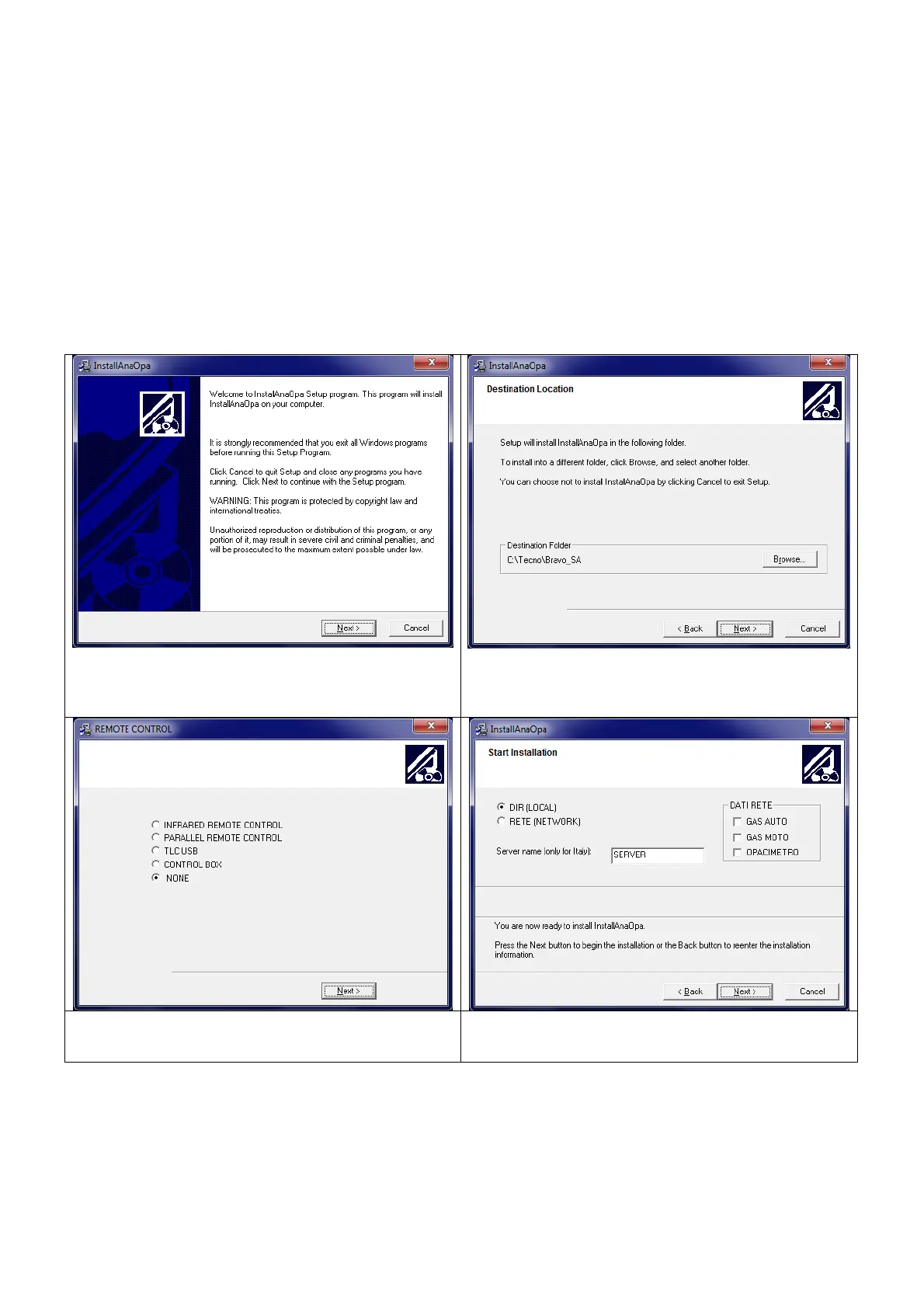
The following pictures offer a quick guide to installing the software on your
Computer.
The operations may only be carried out by experienced and authorised
personnel. The manufacturer is not liable for problems caused to the
Computer by unauthorised personnel.
Insert the CD into the player and follow the instructions on the screen.
Select the remote control to be used. If
you do not have one, select NONE


 To Next Page