26 Challenger Series Installation and Quick Programming Manual
Telephone connection
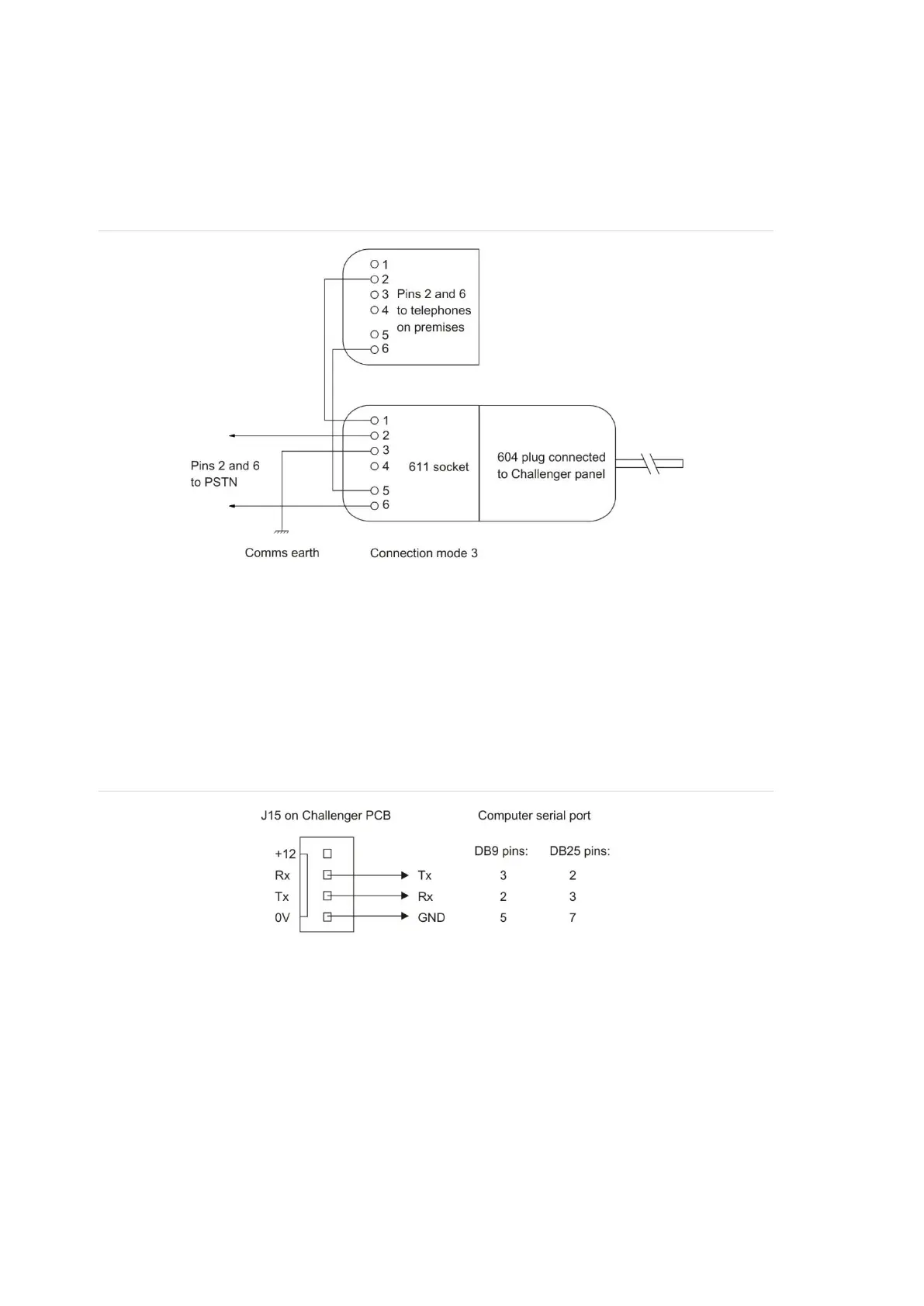
See Figure 7 on page 15, item 13. Some Challenger panel models are supplied
with a pre-wired 604 plug for connection to a 611 socket for PSTN in connection
mode 3 for dialler reporting formats (see Figure 18 below).
Figure 18: Line connections for 611 socket for dialler reporting formats
J15 serial port
See Figure 7 on page 15, item 20 or Figure 9 on page 18, item 15. The J15 port
(also called STU port) may be used for connection to a management software
computer or to a printer.
Figure 19 below details the required connections from the J15 terminals to either
a DB9 or a DB25 serial connector (to a management software computer).
Figure 19: Wiring details for computer connection
LED indications
Refer to the legends of Figure 7 on page 15 and Figure 9 on page 18 for details
of LED indications.



 To Next Page