Egress OUT disabled when secure
Note: This option does not apply to the NAC in IP Direct mode.
This check box controls the ability to use the egress button on any OUT reader to
open the door if any of the areas assigned to the door (via an access control
level) are secure, i.e. armed. If any of the areas assigned to the door are secure
then the egress button will not unlock the door.
Egress reporting
When selected, a report is sent to management software when the egress
function is used.
This is only a reporting function.
Programming alarm control options
Note: Alarm control does not apply to the NAC in IP Direct mode.
If the NAC is connected to a ChallengerPlus panel, it can support alarm control
functionality, such as arming areas via badging a card. Alarm control functionality
can be configured separately for IN and OUT readers.
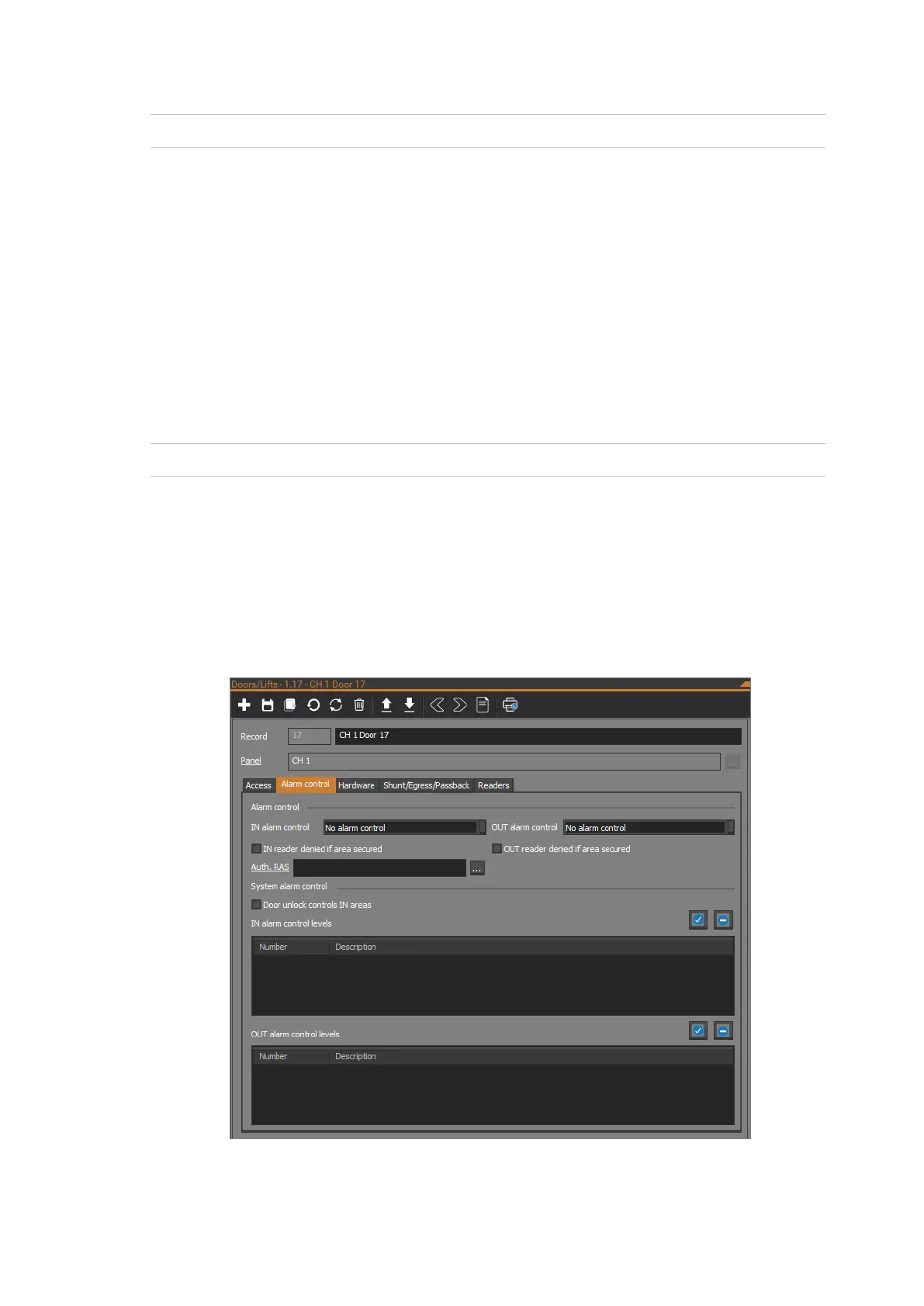
Alarm control tab is described in the following sections.
Alarm control tab
The following figure shows the Alarm control tab of the Doors/Lifts form:



 To Next Page