Enter the required door numbers in the From and To fields, and click the OK
button to start the upload.
Upgrading firmware
Firmware on the Network Access Controller is upgradeable in all operating
modes. It is highly recommended that the installer upgrade to the most recent
firmware version upon installation.
Note: It is recommended that firmware upgrade be performed via IP or USB
where possible, since it is faster than upgrade via a ChallengerPlus panel.
Upgrading firmware
The method for upgrading firmware depends on the operating mode of the NAC.
Upgrading firmware in all modes
Follow these steps to upgrade NAC firmware:
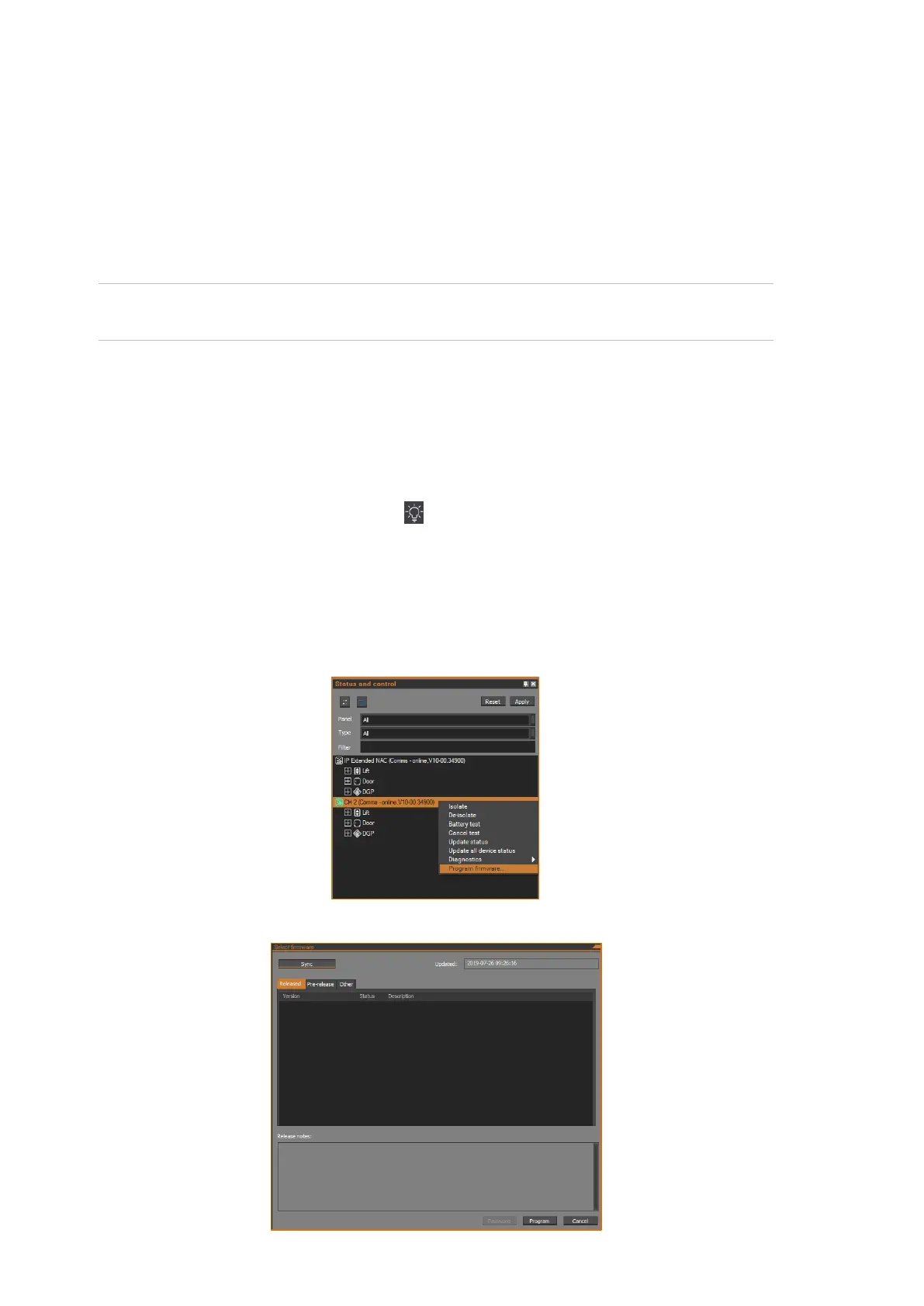
1. Click the Status and Control button in the Operation ribbon tab to
open the Status and Control window.
2. For only Upgrading Firmware in Classic Mode, expand the DGP category
under the relevant ChallengerPlus panel so that the NAC is visible.
3. Right-click the NAC to open its context menu and select Program
firmware > Panel from the menu.
4. Click Sync button to display the available firmware versions on the server.



 To Next Page