© 2020 521_D - 12/20
17 of 28
A Watts Water Technologies Company
Time Menu
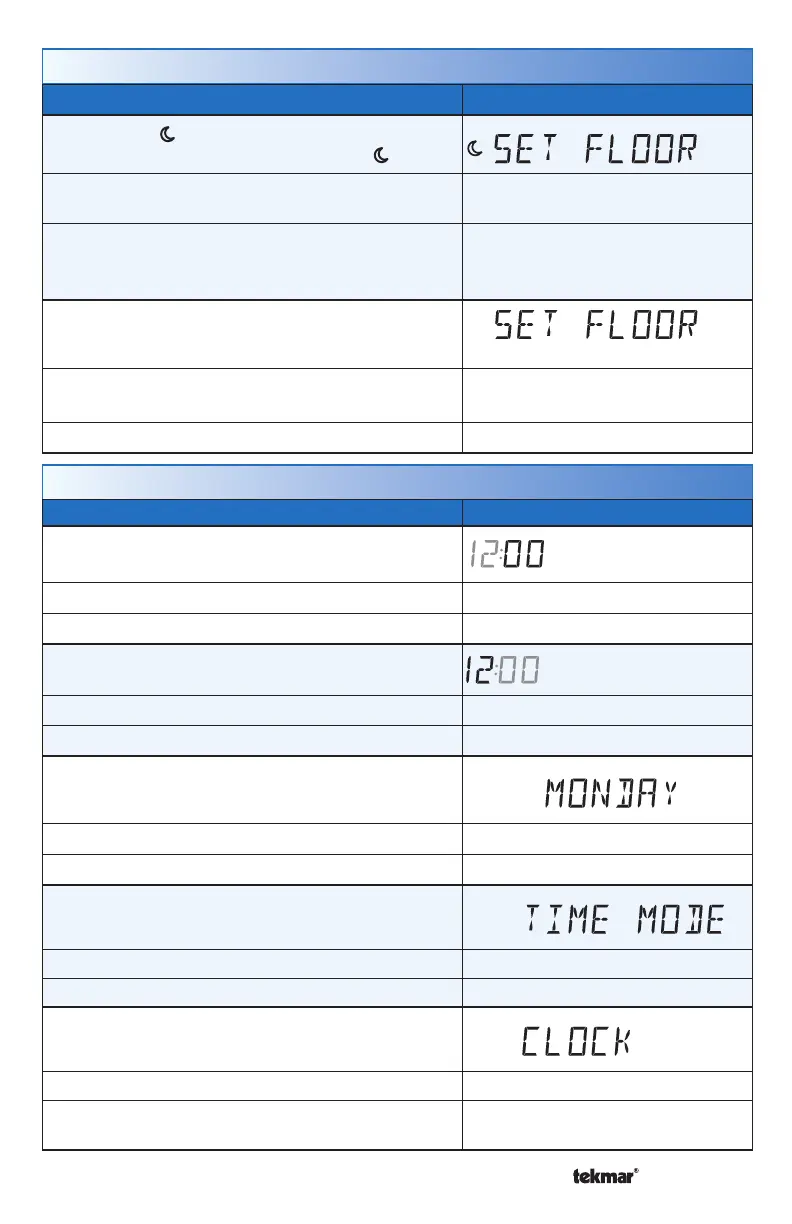
Setting Display
MINUTES
Set the current time minutes.
Access Level: Installer, User Range: 00 to 59
Conditions: Always available. Default: 00
HOURS
Set the current time hours.
Access Level: Installer, User Range: 12 AM to 11 PM or 00 to 23
Conditions: Always available. Default: 12 AM
DAY OF WEEK
Select the current day of the week.
Access Level: Installer, User Range: Sunday to Saturday
Conditions: Always available. Default: Sunday
TIME MODE
Select either 12 or 24 hour time format.
Access Level: Installer, User Range: 12 or 24 hour
Conditions: Always available. Default: 12 hour
CLOCK
Select whether to show the time clock on the display.
Access Level: Installer, User Range: OFF or ON
Conditions: The time is always shown when a sched-
ule is used and the clock setting option is hidden.
Default: OFF
Setting Display
SET FLOOR
Set the floor heating temperature for the event.
Access Level: Installer, User
Range: OFF, 40 to 122°F
(OFF, 4.5 to 50.0°C)
Conditions: Sensor 1 or 2 is set to Floor and
Schedule is set to On.
Defaults
Air & floor sensors: 65°F (18.5°C)
Floor sensor only: OFF
SET FLOOR MAXIMUM
Set the maximum floor heating temperature.
Access Level: Installer
Range: 40 to 122°F, OFF
(4.5 to 50.0°C, OFF)
Conditions: Sensor 1 or 2 is set to Floor. Default: 85°F (29.5°C)
Set Temp Menu



 To Next Page