© 2020 521_D - 12/20
21 of 28
A Watts Water Technologies Company
Setting Display
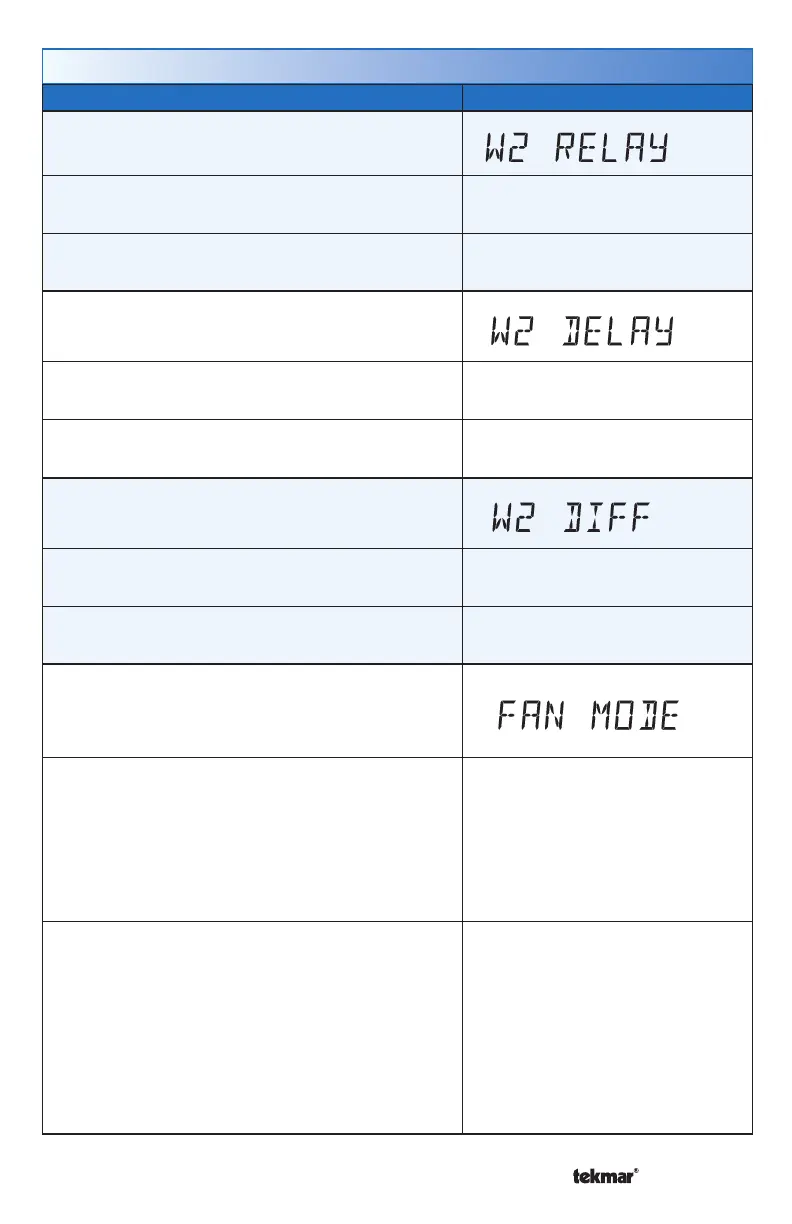
W2 RELAY
Select if a second stage heat is available.
Access Level: Installer Range: OFF or On
Conditions: Available when switch setting 2 is set
to 1H or 2H.
Default: OFF
W2 DELAY
Select the time delay that the second stage must
wait before turning on.
Access Level: Installer Range: 1 to 180 minutes
Conditions: Available when switch setting 2 is set to
1H or 2H and W2 Relay is set to On.
Default: 20 minutes
W2 DIFFERENTIAL
Select the differential below the Set Heat setpoint
at which the second stage heat can turn on.
Access Level: Installer, User Range: 1.5 to 8.0°F (1.5 to 8.0°C)
Conditions: Available when switch setting 2 is set to
1H or 2H and W2 Relay is set to On.
Default: 2.0°F
FAN MODE
Select how the fan should operate together with
the W1, W2 and Y relays.
Access Level: Installer, User
Range:
OFF, Y, W1, W1+Y
(Switch setting is H/C/F)
OFF, W1, W2, W1+2
(Switch setting is 1H or 2H)
Conditions:
When switch setting 2 is set to H/C/F, always
available.
When switch setting 2 is set to 1H or 2H, available
when a room sensor is available. If a floor sensor is
available then W2 must also be set to On.
Fan mode combinations with W1 are unavailable
when a floor sensor is connected.
Default:
Y (Switch setting 2 is H/C/F)
OFF (Switch setting 2 is 1H or 2H)
Setup Menu (2 of 2)



 To Next Page