23
128-01-2305
128-0621-003
6.3.3 Favourite speed
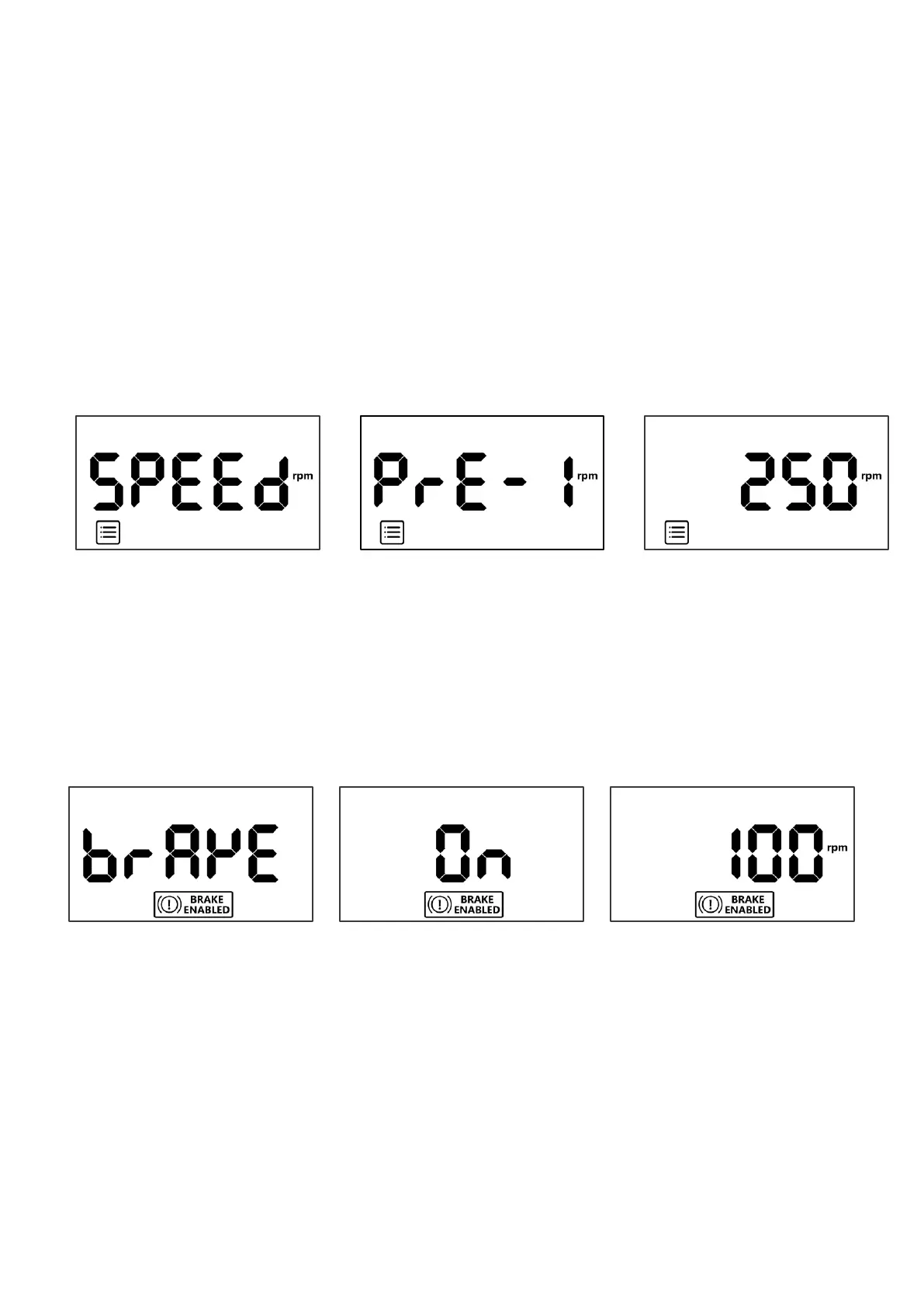
The HMI is built in four favourite speeds for a quick start-up. To use, change and save the settings, follow the
instructions as follows. While the motor is running or stop:
Step1 :Press [FUNC] once on the Home page and then press [ON] to enter the Favourite Speed page, turn the speed
knob to select pre-set speed slot number, press [ON] to confirm or press [FUNC] or [OFF] to exit.
Step2: Once the speed slot number confirmed, press [ON] again, the LCD will show or run default RPM immediately
on the home page*. *The four default settings are 250RPM, 500RPM, 750RPM and 1000RPM
To change default speed, once the speed slot number confirmed, adjust desired RPM and then press [ON] again. The
LCD will show or run new speed immediately on the home page*. (*New setting is not saved into the memory).
To save a new speed, once the speed slot number confirmed, adjust desired RPM and press [Down & Hold] the
speed knob until the Favourite icon becomes flashing and hearing a “beep”. The new speed is saved into speed slot
number, Press [ON] again, the LCD will show or run new speed immediately on the home page.
6.3.4 Brake Enabled
The brake is optional feature to combined with OFF operation, with the brake ON, the motor speed will be
deaccelerated quicker than normal (the default setting is OFF).
Step1: Press [FUNC] once on the Home page, turn the speed knob to Brake Enabled icon, press [ON] to enter the
Brake Enabled page or press [FUNC] or [OFF] to exit.
Step2: On the Brake Enabled page, turn the speed to change OFF to ON, press [ON] to confirm, the LCD will show
Brake Enabled Icon on the Home page.


 To Next Page