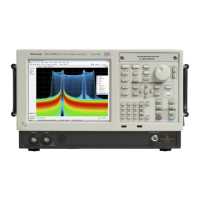
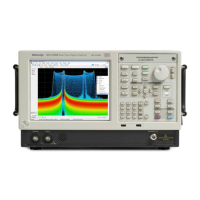
Operation
Ref number Item Description Menu equivalen
t
10
BW (Spectrum) Adjust the res
olution bandwidth (RBW).
1
Setup > Settin
gs >
BW tab
12
1
Applicable only when the selected display is Spectrum, DPX Spectrum, or Spectrogram.
2
Press and hold for one second to open the associated control panel.
Left: RSA6100A series, right: RSA5100A series
Ref number Item Description Menu equivalent
11 Tab Moves the cursor to the next entry in the dialog box or
control panel. Same as pressing the Tab key on an external
keyboard.
12
Run (Stop)
Push to start and stop acquisitions. Run > Run
13 Markers, Peak
Moves the active marker to the maximum peak of the trace
in the selected display. If markers are turned off, the MR
(marker r eference) marker will appear at the maximum peak.
14
Markers, Select Selects the next marker.
15
Markers, Define Opens the Markers control panel.
16 Esc Exits dialog boxes without saving changes.
17
Control knob Increments/decrements numbers with fine resolution.
18 Arrow keys Move the Markers. The Up arrow moves the selected
marker 10 trace points to the right. The down arrow moves
the selected marker 10 trace points to the left. The left and
right arrows move the selected marker to the next peak.
(Turning the knob moves the marker one trace point left or
right.)
19
Increment /
decrement keys
Increments or decrements numbers with coarse resolution.
20 Markers, Delete Deletes the highest-numbered marker.
21 Markers, Add Adds a marker to the selected trace.
22 Replay Replays the current acquisition record.
23
Single Sets the Run mode to Single Sequence and initiates a single
sequence acquisition cycle.
RSA6100A Series & RSA5100A Series Q uick Start User Manual 17

 To Next Page
 Loading...