Operation
Measurements with Conflictin g Acquisition Requirements
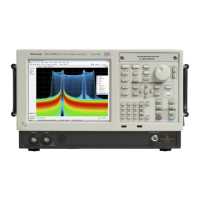
The RSA6100A Series Real-Time Spectrum Analyzers and RSA5100A Series Real-Time Signal Analyzers let you open any
combination of measurements. You can select the displays that you are interested in and the instrument will automatically set
up the appropriate analysis and acquisition parameters.
If measurements place conflicting requirements on the acquisition parameters, the c urrent selected display takes priority. T he
following example shows incompatible m easurement settings when one display needs real-time data (such as the Amplitude
vs Time measurement) while another display requires swept data (such as a Spectrum graph with a very wide span).
1. Push the P reset button on the front
panel to set the instrument to the default
settings.
2. Tune the instrument to the frequency of
your signal and then set the span.
3. Click Displays to open the Select
Displays dialog box.
4. Select the G eneral Signal Viewing folder.
5. Select the Amplitude vs Time icon.
6. Click Add to add the icon to the Selected
Displays list.
NOTE. Add the Spectrum display if it is not
already in the Selected Displays list.
7. Click OK to accept the changes and
close the dialog box.
54 RSA6100A Series & RS A5100A Series Quick Start User Manual

 To Next Page
 Loading...