Maintenance
TDS 200 Series Digital Oscilloscope Service Manual
6–9
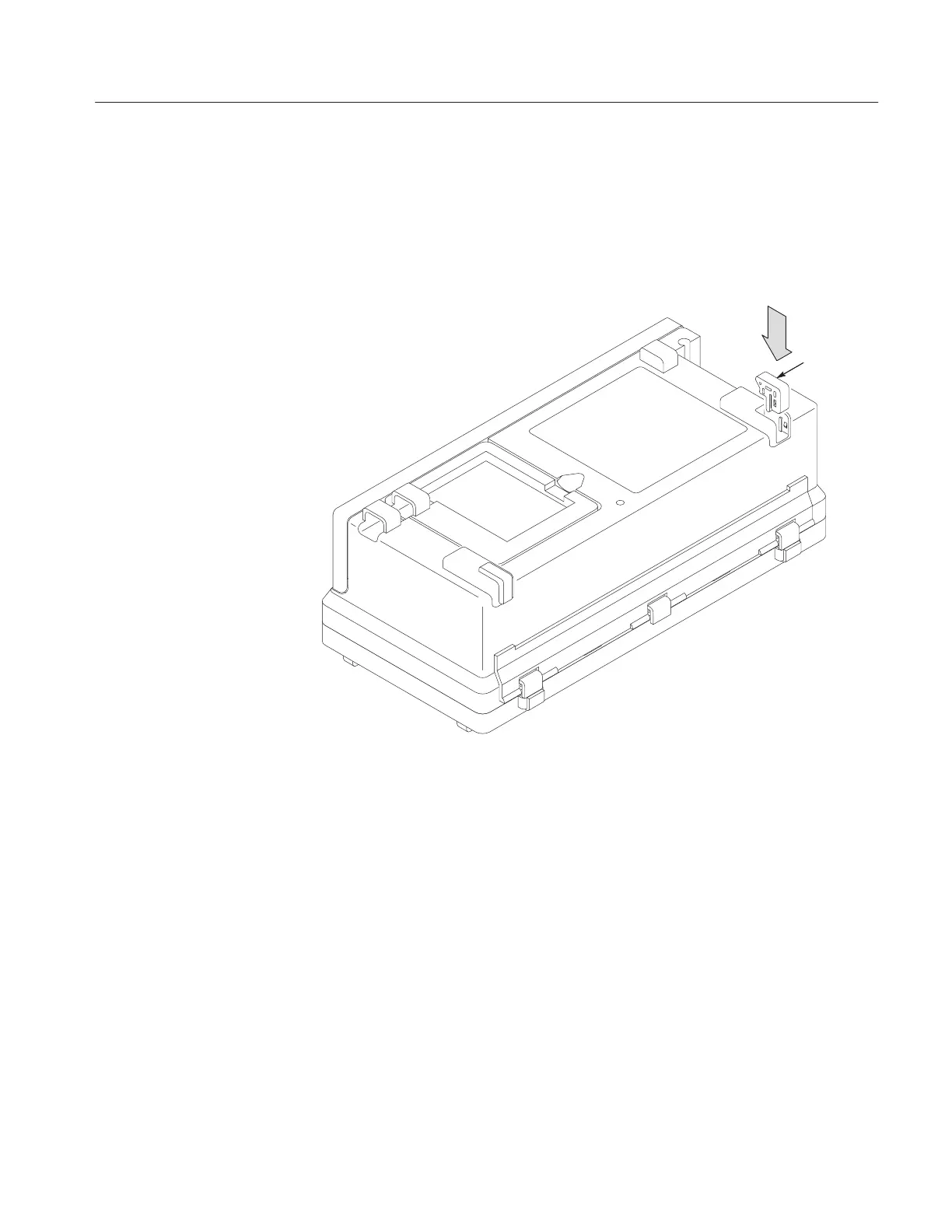
Installation. Use this procedure to install the feet.
1. Place the rear case face down on a soft surface (such as an anti-static mat).
2. Align the slots of the rear foot with the guides in the rear case as shown in
Figure 6–2 and press the foot in.
Rear foot
(2)
Figure 6–2: Installing the rear feet


 To Next Page
 Loading...