Need help?
Do you have a question about the TELECO AUTOMATION TVRDS868B01 and is the answer not in the manual?
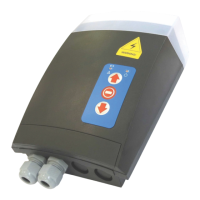
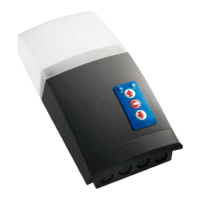
Lists key features of the control unit, including case, buttons, and LEDs.
Details wiring inputs, outputs, operational modes, and special functions.
Instructions for mounting the control unit, including cover opening and box dimensions.
Details for installing the wireless safety system (MASTER/SLAVE) and its safety edges.
Illustrates the control unit with numbered components and their functions.
Details wiring for high voltage terminals, motor, and low voltage terminals.
Wiring diagrams for various wired safety devices and configurations like photocells and safety edges.
Procedure for setting motor limit switches before wiring the motor to the control unit.
Instructions for connecting the motor and powering on the control unit.
Guide to activating the wireless safety system (MASTER/SLAVE pairing).
Explanation of DIP switch settings for functioning modes like automatic and semi-automatic.
Detailed procedure for configuring the upper and lower limit switches.
Steps to deactivate the wireless safety system using DIP switches and button press.
Procedure to exclude safety edge activation in the last 5 cm of door closure.
Steps to configure the courtesy light or flash output modes.
Procedure to enter programming mode using the P2 button on the front cover.
Memorizing a single transmitter button for OPEN-STOP-CLOSE functions.
Memorizing two transmitter buttons for OPEN(STOP)-CLOSE(STOP) functions.
Memorizing a single transmitter button for courtesy light ON/OFF functions.
Memorizing a four-button transmitter in one step.
Procedure for remote memorization of the initial transmitter.
Procedure for adding subsequent transmitters remotely.
Memorizing the wireless shock sensor for alarm function.
Memorizing for door status feedback using bidirectional transmitters.
Procedure to enter programming mode for transmitter deletion.
Procedure to delete one specific transmitter.
Procedure to delete all programmed transmitters.
Procedure to remotely delete a specific transmitter.
Configures the time lapse for automatic door closure.
Configures the duration of the courtesy light activation.
Temporarily locks front cover buttons while keeping remote access enabled.
Resets all parameters to factory default settings.
Details voltage, frequency, and operating temperature range.
Lists motor characteristics and wireless safety system technical details.
Critical warnings for installation, wiring, and safety device compliance.
Explains acoustic signals from the control unit and provides solutions.
Explains the meaning of LEDs on the front cover for troubleshooting.
Lists common operational problems and their corresponding solutions.
 General
| Brand | TELECO AUTOMATION |
|---|---|
| Model | TVRDS868B01 |
| Category | Control Systems |
| Language | English |

 To Next Page