64 www.behnke-online.de
GB
Instructions SIP intercoms series 20-0001BS, 20-0014BS, 20-0016BS
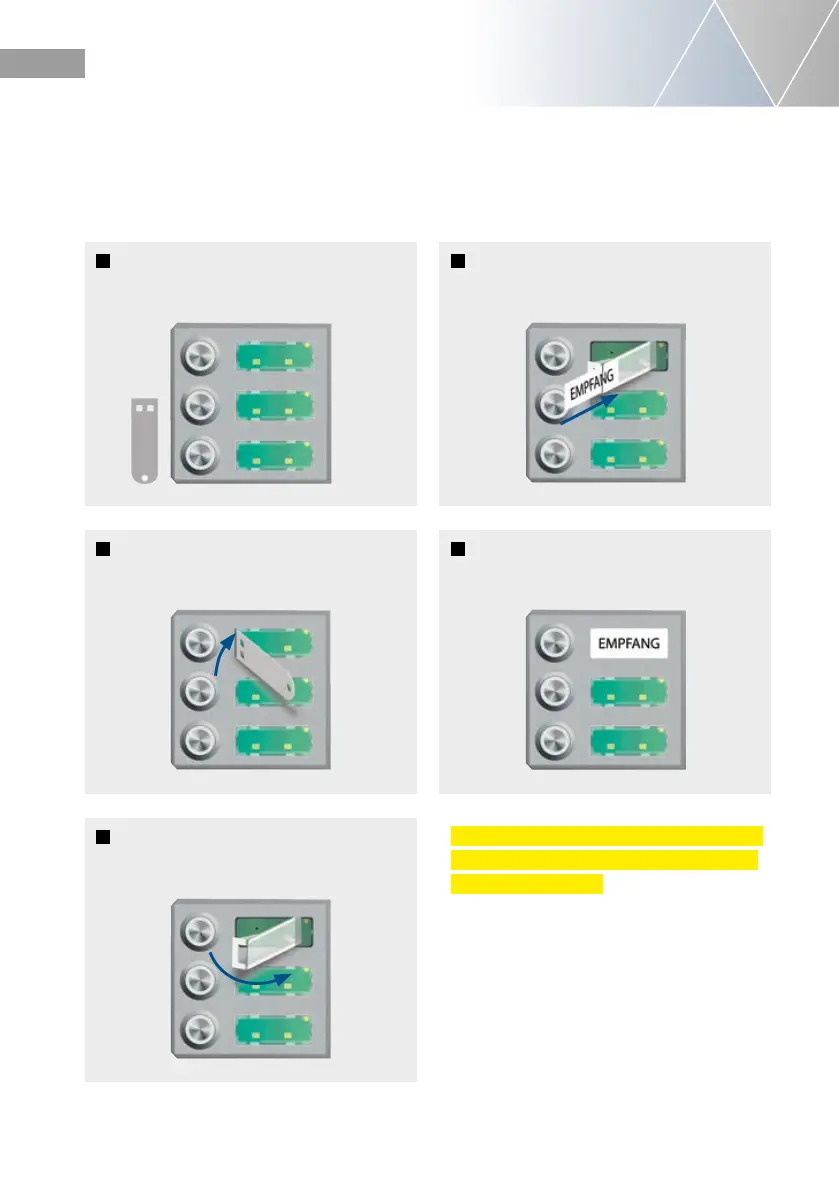
Mounting
1
Delivery state
2
Open the labeling field using the
supplied key.
3
Open the labeling field completely
4
Insert the labeled nameplate
from the left side
5
Insert the label field on the left side
and snap it into place, done.
Please note: The key for opening the labeling
fields must remain with the intercom station
or with your customer.
2.3. Insert labeled tag


 To Next Page
 Loading...
