© Telect, Inc., All Rights Reserved, 123518-9 A0
1.509.926.6000 :: telect.com
12
Dual-Feed 200A 4/5 TPA/GMT Fuse Alarm Panel
Power :: 009-8005-0404 :: 009-8005-0404G :: 009-8005-0404L
3 7. If possible,
• Temporarily replace one of the operable TPA
fuses with a blown fuse to check that the FUSE
ALARM and the TPA Fuse LEDs light red. Also,
check the FUSE ALARM terminals on the rear
of the panel:
− Expect an open circuit (∞Ω) between Terminals
C and NC.
− Expect continuity (0Ω) between Terminals
C and NO.
Re-install operable TPA fuse before proceeding.
• Likewise, replace one of the operable GMT fuses
with a blown fuse to verify that the FUSE ALARM
LED and FUSE ALARM terminals are also as
specied above.
Re-install the operable GMT fuse before
proceeding.
38. If desired, connect the remote external
audio/visual alarm indicator wires (solid or tinned
wires, #26 to #20 AWG) to the PWR ALARM and
FUSE ALARM terminals.
39. Carefully re-install the rear cover.
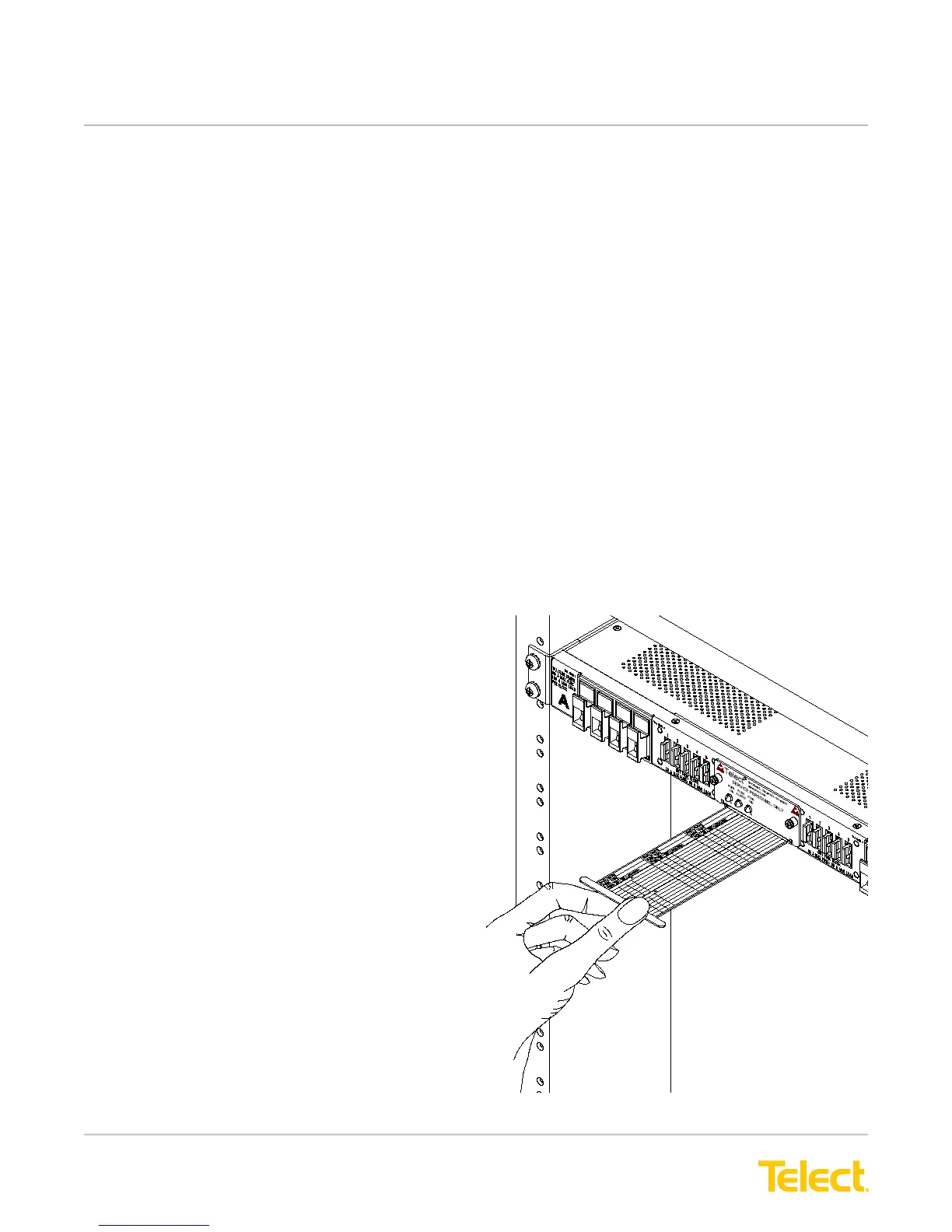
40. Record TPA and GMT output destinations on the
pull-out designation card below the front panel
LEDs, as shown in Figure 16.
4 1. Turn on equipment loads one at a time to verify
proper operation of loads.
Figure 16 - Designation Card


 To Next Page