22 Linea 2K and 4K Monochrome Line Scan Camera User's Manual
03-032-20206-00 Teledyne DALSA
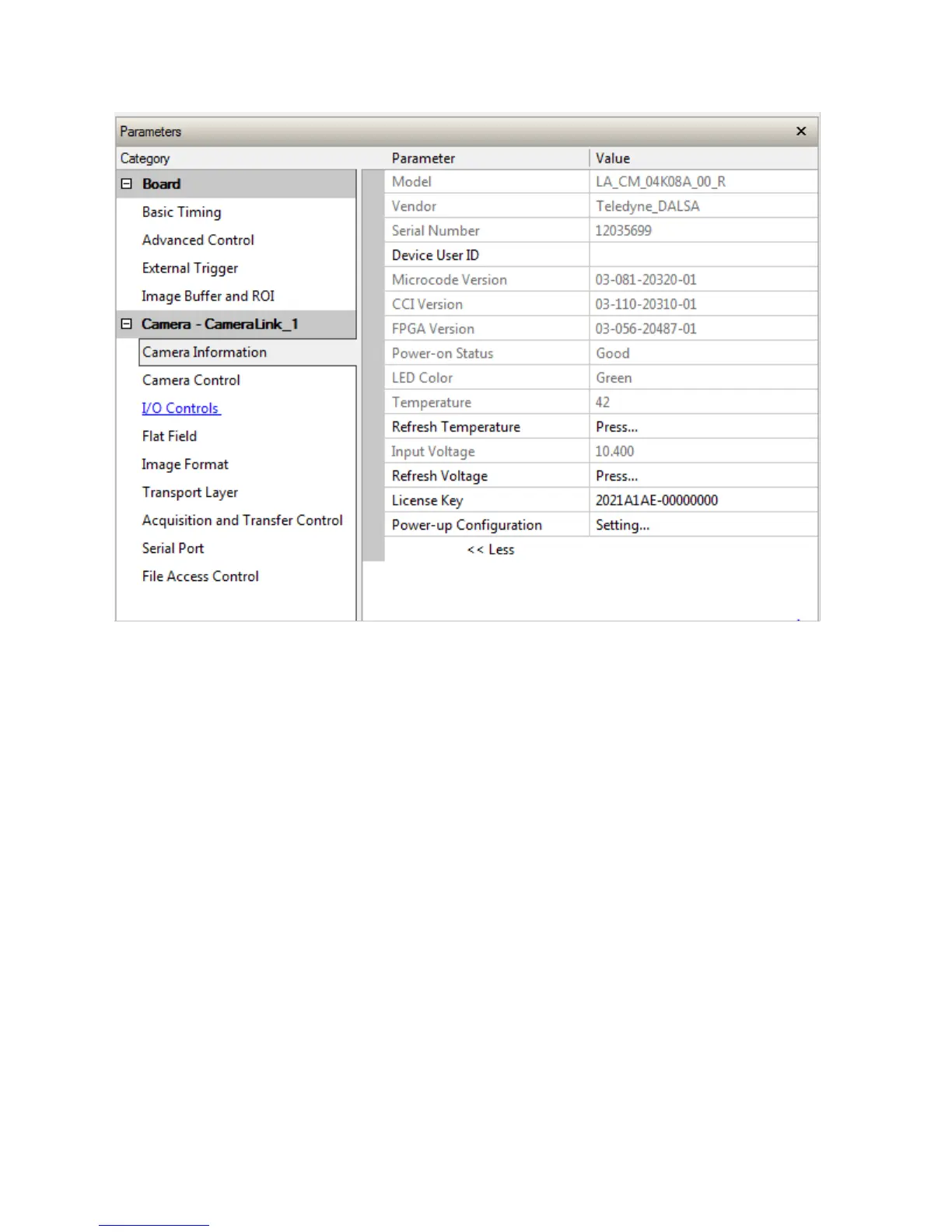
Figure 7. CamExpert GUI showing connected camera
Check LED Status
If the camera is operating correctly at this point, the diagnostic LED will shine green.
Software Interface
All the camera features can be controlled through the CamExpert interface. For example, under the
Camera Control menu in the camera window you can control the line rate and exposure times.


 To Next Page