Linea 2K and 4K Monochrome Line Scan Camera User's Manual 33
Teledyne DALSA 03-032-20206-00
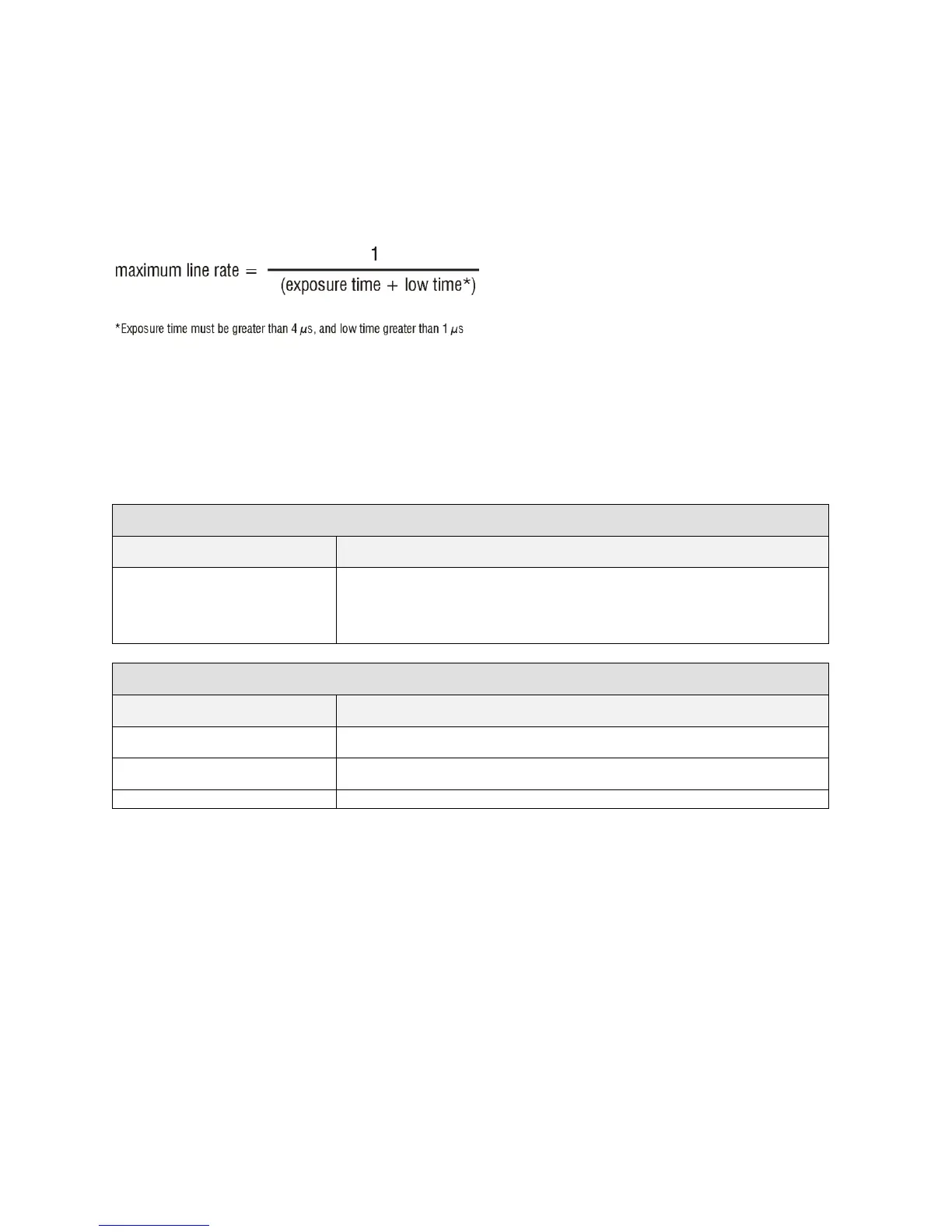
Set Line Rate
To set the cam era‘s line rate use the line rate parameter, part of the Camera Controls set. This feature can
only be used when the camera is in Internal mode—that is, when the start line trigger is disabled (Trigger
Mode Off).
Note: A line rate < 1 / (Exposure time + 1 µs) will return an error (―Invalid Param eter‖) if this cond ition
is not met. You must adjust these two parameters in the correct sequence to maintain this condition.
If the external line rate exceeds the maximum line rate allowed for a mode, the camera will continue to
output data at its maximum line rate. Though no image artefacts associated with over-speed will occur,
you may notice that under over-speed conditions the image will appear compressed and the apparent
distance travelled will be reduced .
Camera line rate in a range from 1 Hz up to 80 kHz.
This feature is only available when the camera is in Internal Mode—
line trigger is disabled (Trigger Mode off).
Camera Link Configuration
37.5kHz (4K), 75 kHz (2K)


 To Next Page