Linea 2K and 4K Monochrome Line Scan Camera User's Manual 67
Teledyne DALSA 03-032-20206-00
Appendix B: ASCII Commands
The following commands can be used to control the Teledyne DALSA Linea cameras.
Accessing the Three Letter Commands (TLC)
To access the TLC an ASCII-based communications interface application, such as HyperTerminal.
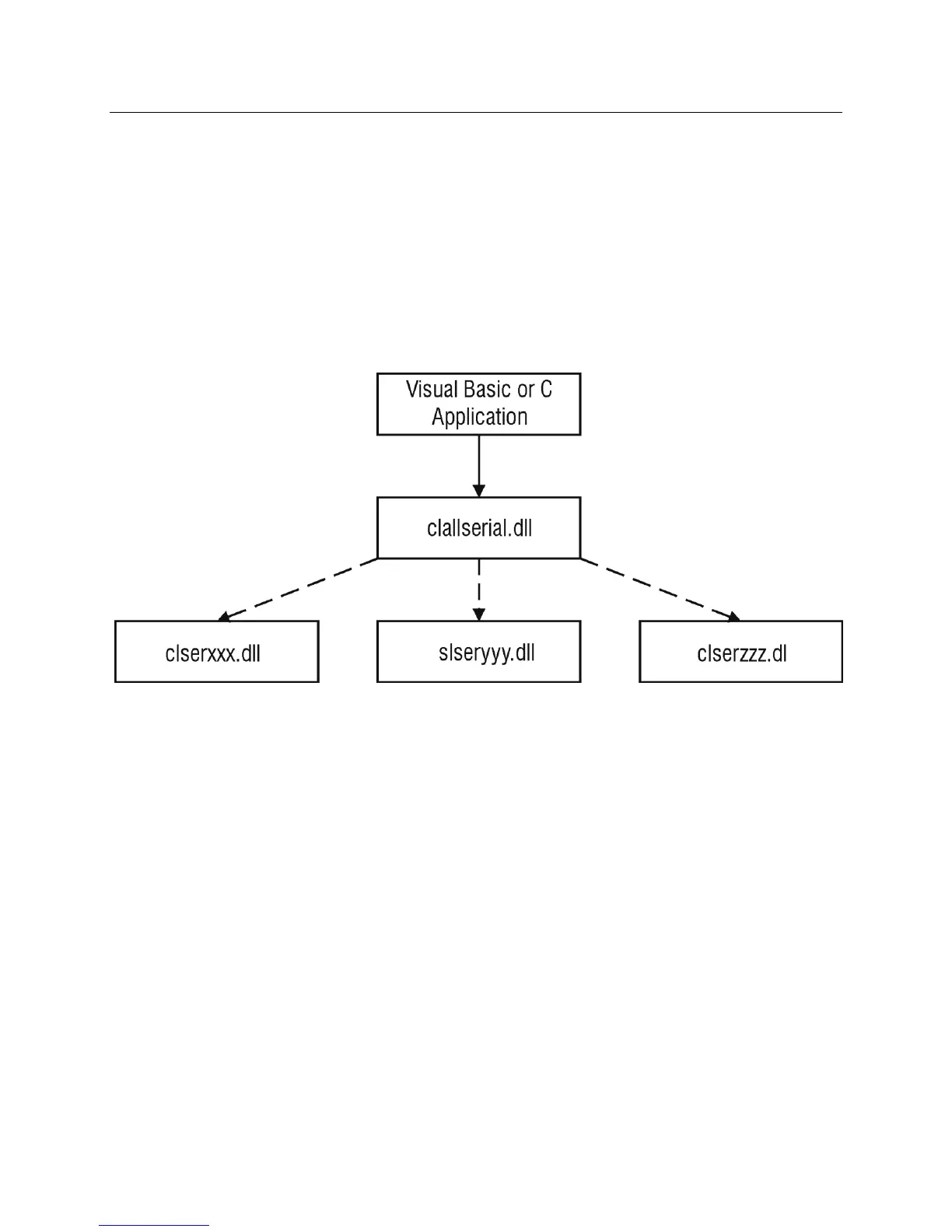
Additionally it is possible to use the functions of clserxxx.dll or clallserial.dll as defined in
the Camera Link Specification.
Figure 17: Serial DLL hierarchy as mentioned in the Camera Link Specification
1. Cycle power to the camera: by either a) issuing the reset camera command (rc), or b) powering
the camera OFF and then ON.
2. Load the ASCII interface using:
9600 baud
8 data bits
no parity
1 stop bit
no flow control
local echo
(carriage return / linefeed)
3. Wait for a stable status LED color (green or red) before proceeding. Note that all entries in
HyperTerminal will be ignored until a stable LED color is obtained.
4. In case of HyperTerminal, press the <ESC> key.
5. Once <ESC> has been entered the USER prompt appears.


 To Next Page