86 Linea 2K and 4K Monochrome Line Scan Camera User's Manual
03-032-20206-00 Teledyne DALSA
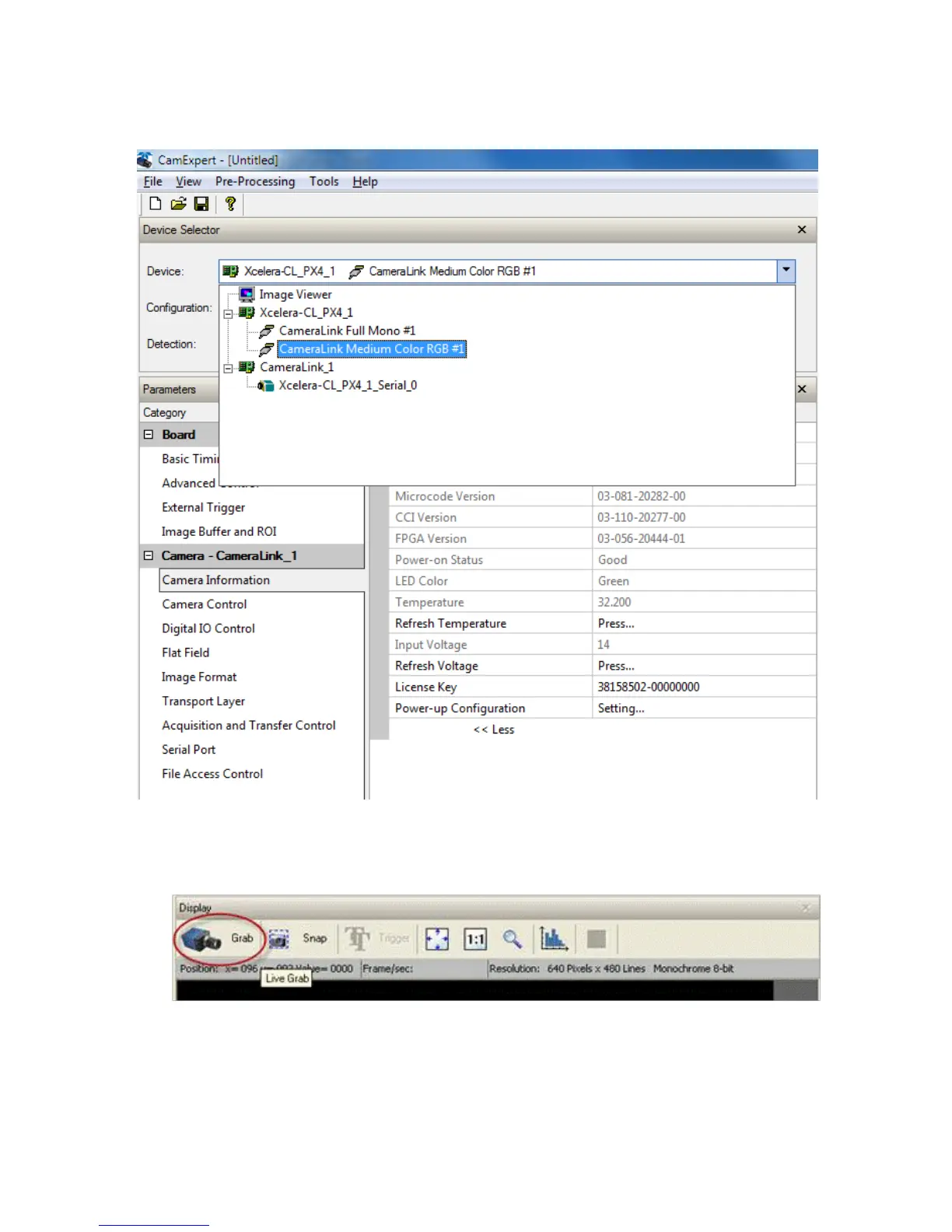
7. Start the CamExpert application. In the Device tab, select an available CameraLink mode.
8. Modify the camera and frame grabber parameter settings as required. At present, when using
GenCP cameras, the camera and frame grabber parameters must be adjusted separately. Test th e
image acquisition by clicking the Grab button.
9. Save the frame grabber configuration to a new *.ccf file.


 To Next Page