Telemark Cryogenics Microprocessor Based Cryochillers
Revision 1.0.7 October 2018
spending time trying to fit those tiny little wires into each of the
corresponding holes in the RJ-45 connector.
2.9.1 Ethernet (Laptop) set up
Install the software sent with the unit. The software is self extracting
and then follow the on-screen instructions. Once the software has
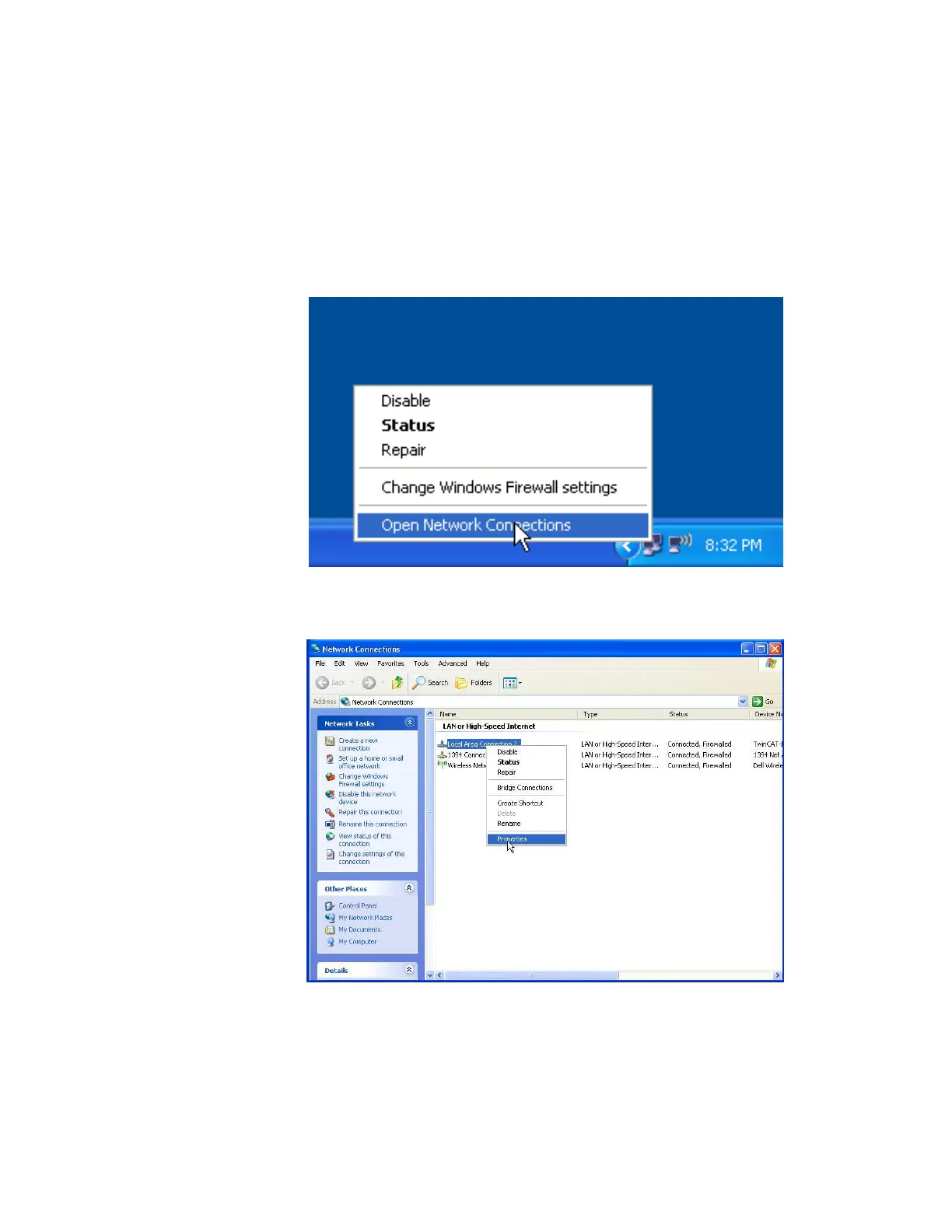
installed open up “Network Connections”
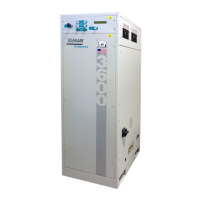
Right Click on Local Area Connection and then click on Properties.
Fig 15 Network Connection Window.
Fig 16 Network Properties



 To Next Page