Telemark Cryogenics Microprocessor Based Cryochillers
Revision 1.0.7 October 2018
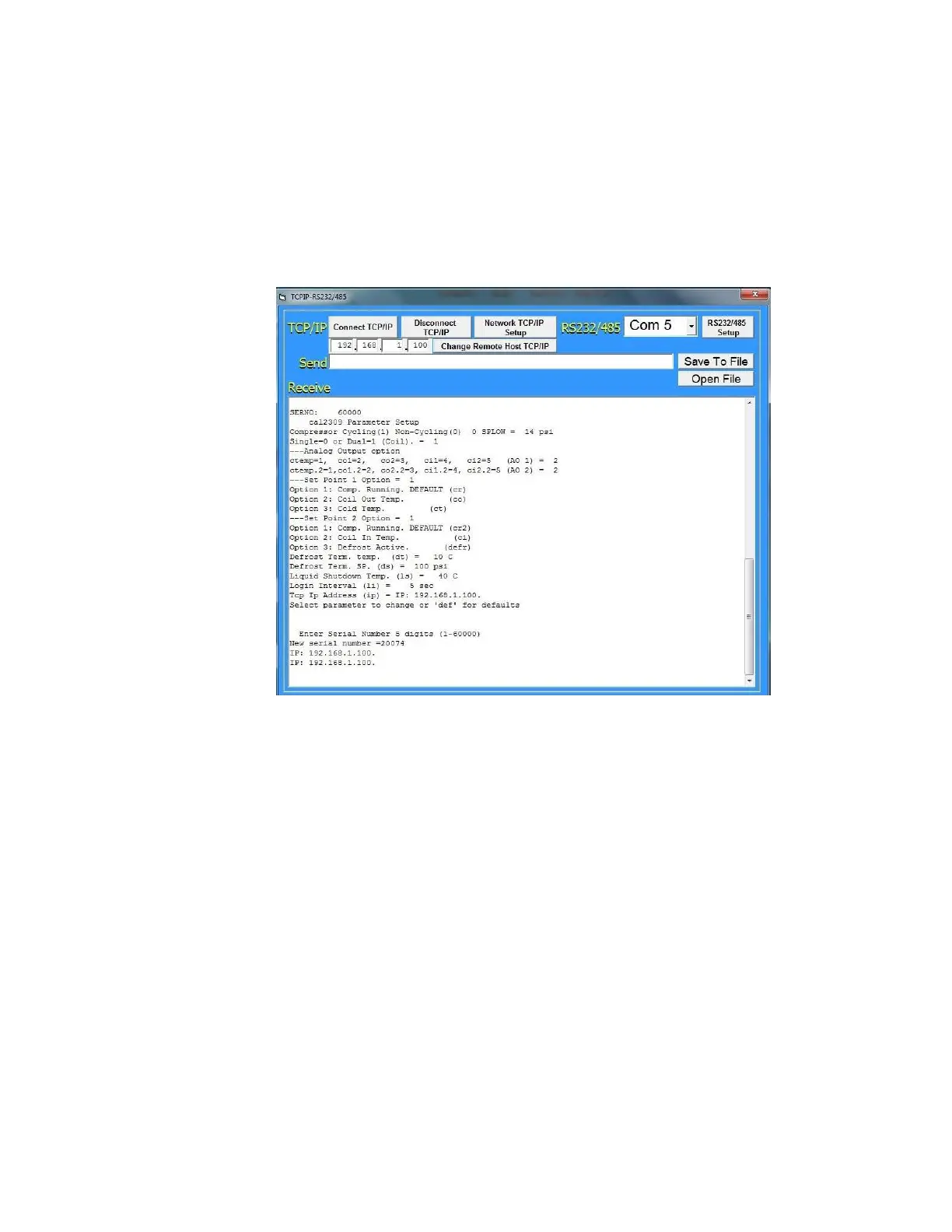
2.9.4 “cal2309” Screen (User Configuration screen)
Telemark Cryochillers have “user settable” parameters that
allow the user to configure the unit to meet there particular
process requirements.
To access the “cal2309” screen type in ““cal2309”” in the
“Send” line and press “enter”. The screen will be displayed as
below.
Compressor Cycling(1) Non-Cycling(0) 0 SPLOW = 14 psi
Single=0 or Dual=1 (Coil). = 0
---Analog Output Option
ctemp=1 co1=2 co1=3 ci1=4 ci2=5 (AO 1) = 2
ctemp.2=1 co1.2=2 co2.2=3 ci1.2=4 ci2.2=5 (AO 2) = 2
---Set Point 1 Option = 1
Option 1: Comp. Running. DEFAULT (cr)
Option 2: Coil Out Temp. (co)
Option 3: Cold Temp. (ct)
---Set Point 2 Option = 1
Option 1: Comp. Running. DEFAULT (cr2)
Option 2: Coil In Temp. (ci)
Option 3: Defrost Active. (defr)
Defrost Term. temp. (dt)= 0 C
Defrost Term. SP. (ds) = 100 psi
Liquid Shutdown Temp. (ls) = 40 C
Login Interval (li) = 10 sec
Tcp Ip Address (ip) = IP: 192.168.1.100
Select parameter to change or 'def' for defaults
Fig 21 “cal2309” Screen Setup



 To Next Page