TELES iGATE FCT User’s Guide 6
Previous Page Table of Contents Next Page
10. Close the SIM card tray.
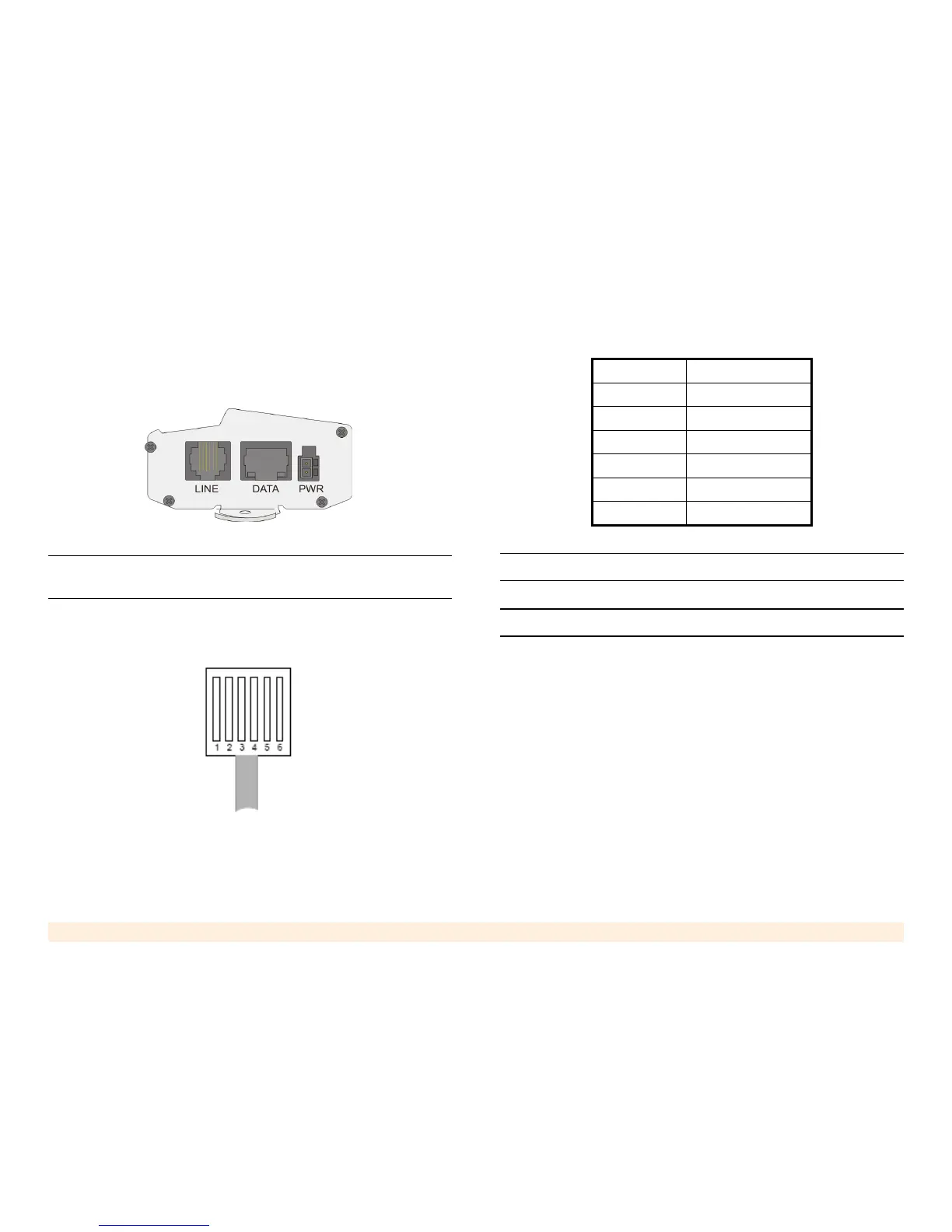
11. Connect the routed trunk port of the PABX (FXO) to
the LINE port (FXS) of the iGATE FCT.
Note: Ensure that the PABX’s routed trunk port is a trunk interface
that was pre-programmed to deliver cellular calls.
Figure # 1 illustrates the pin layout of the RJ-11 con-
nector. Table 1 details its pin-to-wire layout.
Figure 2: RJ-11 Line Connector Pin Layout
Warning: Do not use the reserved pins.
Note: The line can use either pins 3 and 4 or pins 2 and 5.
12. Ensure that the PABX is properly configured. For
details regarding the programming of the PABX, refer
to the PABX’s documentation or contact its Technical
Support staff.
Proper configuration includes:
a. Set the trunk dialing method to standard DTMF
(dual tone multi frequency). Pulse dialing is not
supported.
b. Create a new trunk group for all trunks connected
to iGATE FCT devices and serving the same
Table 1: RJ-11 Connector Pin Layout
PIN # FUNCTION
1Reserved
2Tip
3Tip
4Ring
5Ring
6Reserved



 To Next Page